Table of Contents
- Key Benefits of hr and payroll software for small business
- Why hr and payroll software for small business is different from enterprise solutions
- Essential Features to Look For
- Choosing the right hr and payroll software for small business: a step‑by‑step approach
- Top hr and payroll solutions popular among small businesses
- Integrating hr and payroll software with other business tools
- Implementation Tips for a Smooth Transition
- Measuring Success After Adoption
- Future Trends Shaping hr and payroll for Small Enterprises
- Connecting hr and payroll with performance management
Running a small business often feels like juggling multiple roles at once—owner, marketer, accountant, and HR manager all in one. When the payroll calendar arrives, the stress can intensify, especially if the process is still handled manually or through disparate tools. A single, integrated system that manages both human resources and payroll can transform that chaos into a smooth, predictable routine.
Beyond simply cutting down on paperwork, the right hr and payroll software for small business can improve employee satisfaction, reduce costly errors, and keep the company compliant with ever‑changing labor laws. It also frees up valuable time that entrepreneurs can redirect toward growth‑driving activities such as product development or customer acquisition.
In this article we’ll explore what makes an effective hr and payroll solution for smaller enterprises, outline the essential features to look for, and provide practical guidance on selecting and implementing the right tool. Whether you are just starting out or looking to upgrade an existing system, the insights below will help you make an informed decision.
Key Benefits of hr and payroll software for small business
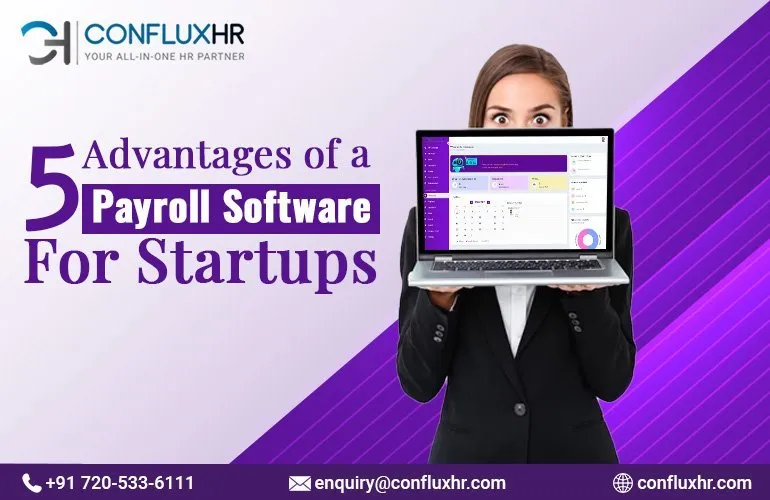
Adopting an integrated hr and payroll platform brings several tangible advantages. Understanding these benefits helps you justify the investment to stakeholders and set realistic expectations for the rollout.
- Time savings: Automating routine tasks—such as calculating overtime, generating pay slips, and updating employee records—dramatically reduces the hours spent on administrative work.
- Accuracy and compliance: Built‑in tax tables, statutory deductions, and alerts for regulatory changes minimize the risk of costly mistakes.
- Centralized employee data: A single database stores personal details, contracts, performance notes, and benefits information, making it easier for managers to access what they need.
- Improved employee experience: Self‑service portals let staff view payslips, request time off, and update personal information without contacting HR directly.
- Scalability: Cloud‑based solutions grow with your business, allowing you to add new users or features as the organization expands.
Why hr and payroll software for small business is different from enterprise solutions
Large corporations often require complex, highly customizable platforms that can integrate with dozens of other systems. Small businesses, however, prioritize simplicity, cost‑effectiveness, and ease of use. While enterprise tools may offer extensive modules for global compliance, talent acquisition, and advanced analytics, a hr and payroll software for small business should focus on core functionalities that deliver immediate ROI without a steep learning curve.
Essential Features to Look For
When evaluating potential vendors, keep these capabilities at the top of your checklist. Each feature aligns with the practical needs of a small organization and contributes to smoother day‑to‑day operations.
- Payroll processing: Automatic calculation of gross-to-net pay, tax withholdings, and direct deposit capabilities.
- Time and attendance tracking: Integration with mobile or web‑based timesheets, biometric devices, or simple clock‑in/out buttons.
- Employee self‑service portal: Allows staff to view payslips, edit personal data, and submit leave requests.
- Benefits administration: Management of health insurance, retirement plans, and other voluntary deductions.
- Compliance management: Up‑to‑date tax tables, automated filing of payroll taxes, and alerts for legislative changes.
- Reporting and analytics: Standard reports for payroll summaries, labor costs, and turnover rates, with options to export to Excel or integrate with accounting software.
- Integration with accounting tools: Seamless data flow to platforms such as QuickBooks or Xero eliminates double‑entry.
- Security and data privacy: Role‑based access, encryption, and regular backups protect sensitive employee information.
Choosing the right hr and payroll software for small business: a step‑by‑step approach
To avoid overwhelm, follow a systematic process:
- Define your requirements: List the must‑have features (e.g., direct deposit, mobile time tracking) and nice‑to‑have extras (e.g., performance reviews).
- Set a realistic budget: Include subscription fees, implementation costs, and potential training expenses.
- Research vendors: Look for providers that specialize in small‑business markets and read user reviews on reputable sites.
- Request demos and trials: Hands‑on experience reveals usability and whether the interface feels intuitive.
- Check integration capabilities: Ensure the solution syncs with your existing accounting or ERP software.
- Evaluate support options: Access to live chat, phone support, and comprehensive documentation can shorten the learning curve.
- Consider future growth: Verify that the platform can handle additional employees, new locations, or expanded benefit packages.
Top hr and payroll solutions popular among small businesses

Below are several platforms that consistently receive positive feedback from small‑business owners. Each offers a blend of affordability, ease of use, and the core features outlined earlier.
- Gusto: Known for its user‑friendly interface, Gusto combines payroll processing, benefits administration, and simple HR tools. Its pricing tiers are transparent, and the system integrates smoothly with QuickBooks, making it a solid choice for businesses that already use that accounting software.
- ADP Workforce Now Essentials: ADP’s small‑business offering delivers robust payroll capabilities and a basic HR suite. While slightly pricier, its reputation for compliance and extensive customer support can be reassuring for newer entrepreneurs.
- Zenefits: Zenefits started as an HR platform and later added payroll. Its modular design lets you enable only the features you need, which helps control costs.
- Paychex Flex: Offers a cloud‑based solution with strong payroll accuracy and a growing library of HR resources. Ideal for businesses that anticipate rapid scaling.
- OnPay: A straightforward payroll service that also supports basic HR functions such as PTO tracking and employee self‑service. Its flat‑rate pricing is attractive for firms with predictable headcounts.
If you’re looking for an even more focused payroll experience, the article Simple Payroll Software for Small Business: A Complete Guide provides an in‑depth comparison of dedicated payroll tools that complement an HR system.
Integrating hr and payroll software with other business tools
Most modern solutions offer APIs or pre‑built connectors. For instance, linking your payroll to an accounts payable software compatible with QuickBooks eliminates the need for manual journal entries. Likewise, if you already use performance management software, ensure the hr module can import appraisal data to maintain a single employee profile.
Implementation Tips for a Smooth Transition

Switching from spreadsheets or legacy systems to a unified platform can be daunting. However, careful planning minimizes disruption.
- Start with data cleansing: Verify that employee names, tax IDs, and bank details are accurate before import.
- Run parallel payroll cycles: Process a test run using both the old and new systems to identify discrepancies.
- Train key users: Provide hands‑on workshops for HR staff, managers, and anyone who will access the system.
- Communicate with employees: Explain the new self‑service portal, how to view payslips, and whom to contact for issues.
- Leverage vendor support: Many providers assign an onboarding specialist to guide you through configuration and initial payroll runs.
Remember that the goal is not just to replace an old process but to enhance overall workforce management. By aligning the software with your business workflows, you create a foundation for better decision‑making and employee engagement.
Measuring Success After Adoption
After implementation, track the following metrics to gauge impact:
- Time spent on payroll processing: Compare pre‑ and post‑implementation hours.
- Error rate: Monitor the number of manual corrections needed each cycle.
- Employee satisfaction: Conduct short surveys on the ease of accessing payslips and requesting leave.
- Compliance incidents: Record any tax filing penalties or audit findings.
Positive trends in these areas signal that the hr and payroll software for small business is delivering value and justifying its cost.
Future Trends Shaping hr and payroll for Small Enterprises
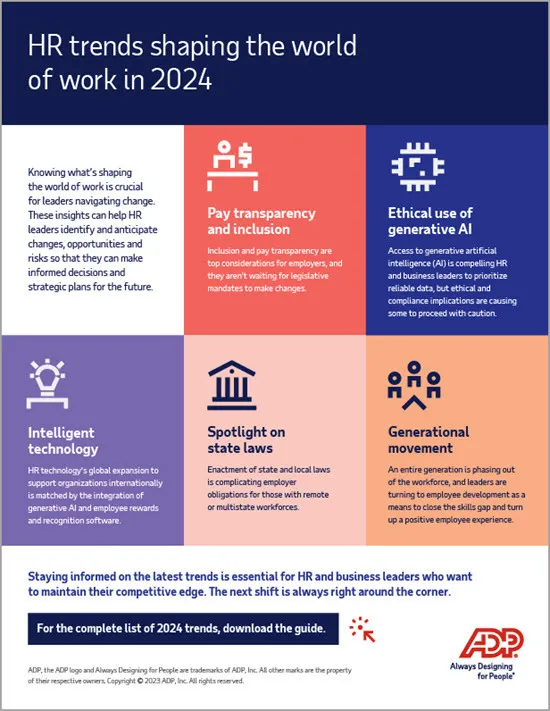
Even small businesses will feel the ripple effects of broader industry innovations. Staying aware of emerging trends helps you choose a platform that will remain relevant.
- Artificial intelligence and predictive analytics: AI can forecast turnover, suggest optimal staffing levels, and identify payroll anomalies before they become issues.
- Mobile‑first design: As remote work grows, employees expect to manage time, request leave, and view payslips from smartphones.
- Integration with gig‑economy platforms: For businesses that hire freelancers, built‑in contractor payments simplify compliance with 1099 reporting.
- Enhanced data security: Zero‑trust architectures and multi‑factor authentication become standard to protect personal data.
- Employee wellness modules: Some HR solutions now incorporate mental‑health resources, aligning payroll deductions with wellness benefits.
When selecting a vendor, inquire about their roadmap for these capabilities. A system that can evolve with you reduces the likelihood of future migrations.
Connecting hr and payroll with performance management
Integrating compensation data with performance reviews creates a more transparent reward system. The guide on Performance Management Software for Small Companies: A Complete Guide illustrates how linking these functions can streamline merit‑based salary adjustments and boost morale.
In summary, the right hr and payroll software for small business is a strategic asset that consolidates core employee processes, enhances compliance, and frees up time for growth‑focused initiatives. By defining clear requirements, evaluating platforms against essential features, and following best‑practice implementation steps, you can transition smoothly and reap measurable benefits. As technology advances, choosing a solution with a forward‑looking roadmap ensures your business stays agile and competitive.