Table of Contents
- Why Choose Accounts Payable Software Compatible with QuickBooks
- Key Features of Accounts Payable Software Compatible with QuickBooks
- Top Accounts Payable Solutions That Integrate Seamlessly with QuickBooks
- 1. Bill.com
- 2. Tipalti
- 3. AvidXchange
- How to Evaluate Compatibility and Fit
- Step 1: Map Your Current AP Process
- Step 2: Verify Technical Integration
- Step 3: Test Workflow Customization
- Step 4: Assess Vendor Support and Training
- Step 5: Review Pricing Structure
- Implementation Tips for a Smooth Transition
- Future Trends in AP Automation and QuickBooks Integration
- Artificial Intelligence for Invoice Validation
- Real‑Time Cash Forecasting
- Embedded Payments
Managing invoices, vendor payments, and cash flow can become a maze for any business, especially when the accounting system is the only place where data lives. QuickBooks, a staple in many small‑to‑mid‑size firms, offers solid bookkeeping, yet its native accounts payable (AP) capabilities are often limited to basic bill entry and payment scheduling. When the volume of invoices rises or when a company seeks tighter control over approvals, the need for a dedicated AP solution that works seamlessly with QuickBooks becomes clear.
In recent years, a wave of specialized accounts payable software compatible with QuickBooks has emerged. These tools promise automation of data capture, multi‑level approval workflows, early‑payment discounts, and real‑time reporting—all while syncing directly to the QuickBooks ledger. The result is a smoother flow of financial information, reduced manual entry errors, and a clearer view of liabilities at any moment.
This article walks you through the essential criteria for selecting such software, highlights leading options on the market, and explains how to implement the integration without disrupting daily operations. Whether you run a boutique agency, a manufacturing shop, or a service‑oriented firm, the insights below can help you transform your AP function into a strategic asset.
Why Choose Accounts Payable Software Compatible with QuickBooks
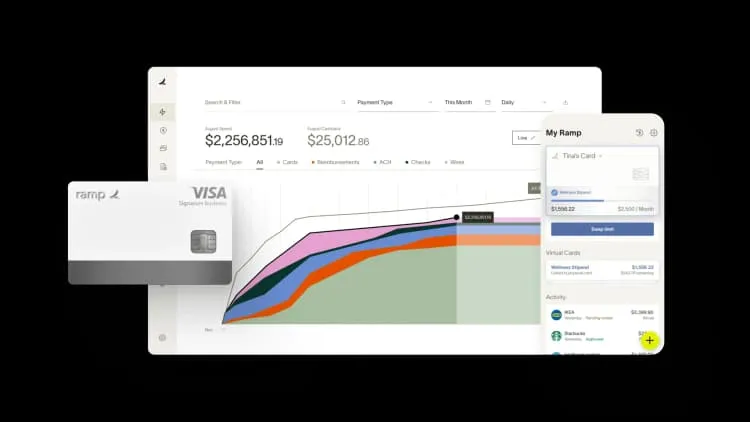
Choosing a solution that speaks the same language as QuickBooks offers several practical advantages. First, data duplication is minimized because the AP tool pushes invoices, vendor credits, and payment statuses directly into QuickBooks, eliminating the need for double entry. Second, reporting becomes more cohesive; financial statements generated in QuickBooks automatically reflect the most recent AP activity, giving CFOs and owners an accurate picture of cash obligations.
Beyond technical alignment, the integration supports compliance and audit readiness. When every invoice is captured, approved, and logged with timestamps, the audit trail is built into the system. This is particularly valuable for companies subject to Sarbanes‑Oxley (SOX) controls or those that must demonstrate adherence to vendor contract terms.
Key Features of Accounts Payable Software Compatible with QuickBooks
- Automated Invoice Capture: Use OCR (optical character recognition) to scan paper invoices or import PDFs, allowing the software to extract line‑item data and map it to QuickBooks fields.
- Approval Workflows: Configure multi‑step approval chains based on invoice amount, department, or vendor risk level, ensuring that the right eyes see each bill before payment.
- Payment Scheduling and Early‑Pay Discounts: The system suggests optimal payment dates to capture discount opportunities while respecting cash‑flow constraints.
- Real‑Time Sync: Any change made in the AP tool—whether a new invoice, a voided bill, or a payment—updates QuickBooks instantly, preserving ledger integrity.
- Reporting & Dashboards: Visualize aging reports, spend by category, and vendor performance metrics without leaving the AP platform.
- Mobile Access: Approvers can review and approve invoices from smartphones, keeping the process moving even when teams are remote.
Top Accounts Payable Solutions That Integrate Seamlessly with QuickBooks
Not every AP tool can claim true compatibility with QuickBooks. Below are three platforms that have earned recognition for reliable integration, robust feature sets, and positive user feedback.
1. Bill.com
Bill.com is perhaps the most widely known AP automation solution that offers a native QuickBooks connector. It captures invoices via email, mobile app, or drag‑and‑drop upload, then routes them through customizable approval workflows. Once approved, payments can be executed through ACH, virtual cards, or paper checks, and the transaction details flow back into QuickBooks automatically.
Key strengths include its intuitive user interface and a strong ecosystem of banking partners. For businesses that already rely on QuickBooks Online, the integration requires only a few clicks to enable, and synchronization runs continuously in the background.
2. Tipalti
Tipalti shines for companies with a global supplier base. Its platform supports multi‑currency payments, tax compliance (including 1099 and W‑8 forms), and automated vendor onboarding. The QuickBooks integration ensures that each payment batch posted in Tipalti is reflected as a journal entry in QuickBooks, preserving accurate expense tracking.
While Tipalti may be overkill for a small local business, midsize firms looking to scale internationally find its compliance automation indispensable. The system also offers detailed analytics that help finance teams negotiate better terms with suppliers.
3. AvidXchange
AvidXchange targets mid‑market organizations that process a high volume of invoices. Its solution combines invoice capture, automated coding, and a powerful approval engine. The QuickBooks connector syncs approved invoices and payments, while the platform’s reporting suite provides insight into spend patterns and cash‑flow forecasts.
What sets AvidXchange apart is its extensive network of banking partners, enabling same‑day ACH payments and virtual card issuance directly from the AP dashboard.
How to Evaluate Compatibility and Fit

When assessing whether an accounts payable software compatible with QuickBooks will meet your needs, follow a structured evaluation process. Below is a step‑by‑step checklist that can guide your decision‑making.
Step 1: Map Your Current AP Process
Document every stage—from invoice receipt to payment execution—and identify pain points such as manual data entry, delayed approvals, or missed early‑pay discounts. Knowing where inefficiencies exist helps you prioritize the features you need most from an AP solution.
Step 2: Verify Technical Integration
Confirm that the vendor supports the exact version of QuickBooks you use (Online vs. Desktop). Ask for a demo that shows real‑time syncing of a sample invoice, and request information about data mapping rules to ensure fields line up correctly.
Step 3: Test Workflow Customization
Set up a mock approval chain that mirrors your organization’s hierarchy. Pay attention to how easy it is to add conditional rules—such as requiring CFO sign‑off for invoices over a certain amount. The ability to adapt workflows without developer assistance is a hallmark of a flexible system.
Step 4: Assess Vendor Support and Training
Implementation can be a critical phase. Choose a provider that offers onboarding assistance, online resources, and responsive support. Some vendors also provide certified QuickBooks consultants who can help configure the integration correctly.
Step 5: Review Pricing Structure
Most AP platforms charge per invoice processed, per user, or a flat monthly fee. Compare total cost of ownership, factoring in potential savings from early‑pay discounts, reduced labor hours, and fewer errors. A clear ROI calculation can justify the investment to stakeholders.
Implementation Tips for a Smooth Transition
Even the best accounts payable software compatible with QuickBooks can encounter hiccups if rollout is rushed. Follow these best practices to ensure a seamless migration.
- Start with a Pilot Group: Select a single department or a limited set of vendors to test the workflow before scaling company‑wide.
- Maintain Parallel Processes: Keep the existing manual AP method running alongside the new system for a short period to catch any discrepancies.
- Train Approvers Early: Conduct short training sessions focused on how to approve invoices from mobile devices or the web portal.
- Clean Up Vendor Master Data: Ensure that vendor records in QuickBooks are accurate, as the AP tool will pull from this list during invoice entry.
- Monitor Sync Logs: Regularly review integration logs for failed transactions and address issues promptly.
For organizations that also manage payroll, integrating AP with payroll software can further streamline cash‑flow management. A recent guide on simple payroll software for small business explains how synchronized payment cycles reduce manual effort and improve accuracy.
Future Trends in AP Automation and QuickBooks Integration
Automation is no longer a nice‑to‑have; it is becoming the baseline expectation for finance departments. Emerging trends that will shape the next generation of accounts payable software compatible with QuickBooks include:
Artificial Intelligence for Invoice Validation
AI algorithms can compare invoice data against purchase orders and contracts, flagging anomalies before they reach an approver. This reduces fraud risk and speeds up processing.
Real‑Time Cash Forecasting
By linking AP data directly to QuickBooks’ cash‑flow reports, companies can generate up‑to‑the‑minute forecasts, helping CFOs make informed decisions about investments or financing.
Embedded Payments
Some platforms are adding built‑in payment rails, allowing users to pay vendors without leaving the AP dashboard. This tight coupling further reduces the steps between approval and disbursement.
Staying aware of these developments can help businesses plan upgrades and keep their finance operations competitive.
In summary, selecting the right accounts payable software compatible with QuickBooks can transform a cumbersome, error‑prone process into a streamlined, data‑driven operation. By evaluating features, testing integration, and following a measured implementation plan, firms can reap immediate benefits such as reduced processing time, better cash‑flow visibility, and stronger compliance. As technology advances, the synergy between AP automation and QuickBooks will only deepen, offering even more opportunities to optimize financial workflows.