Table of Contents
- Why Simple Payroll Software for Small Business Is Essential
- Key Benefits of Simple Payroll Software for Small Business
- Core Features to Look For in Simple Payroll Software for Small Business
- Automated Tax Calculations and Filing
- Direct Deposit and Payment Flexibility
- Time‑Tracking Integration
- User‑Friendly Dashboard
- Scalable Pricing Model
- Step‑by‑Step Guide to Implementing Simple Payroll Software for Small Business
- 1. Assess Your Current Payroll Process
- 2. Define Requirements and Budget
- 3. Shortlist and Test Solutions
- 4. Migrate Employee Data Securely
- 5. Configure Tax Settings and Payment Options
- 6. Run a Test Payroll Cycle
- 7. Train Staff and Communicate with Employees
- 8. Go Live and Monitor
- Choosing the Right Vendor: Factors Beyond Features
- Customer Support and Onboarding
- Security and Data Privacy
- Integration Ecosystem
- Vendor Reputation and Reviews
- Future‑Proofing Your Payroll Strategy
Running a small business often feels like juggling many balls at once—inventory, customer service, marketing, and, of course, paying your team. When payroll becomes a manual, error‑prone process, it can quickly turn into a costly distraction. That’s why more owners are turning to simple payroll software for small business, a tool designed to take the heavy lifting out of calculating wages, handling taxes, and generating payslips.
This article walks you through the core reasons why such software matters, the essential features to look for, and practical steps for choosing a solution that fits your budget and workflow. By the end, you’ll have a clear roadmap for moving from spreadsheets to a streamlined, compliant payroll system.
Why Simple Payroll Software for Small Business Is Essential
Small enterprises typically lack a dedicated HR department, meaning the same person who manages sales may also be responsible for calculating payroll. A simple payroll software for small business removes the need for complex spreadsheets and reduces the risk of costly mistakes, such as miscalculating overtime or missing tax deadlines. Automation ensures that every pay period is processed consistently, freeing up time to focus on growth initiatives.
Beyond time savings, compliance is a major concern. Tax rates change, new labor regulations emerge, and penalties for non‑compliance can be severe. Modern payroll platforms stay up‑to‑date with federal, state, and local requirements, automatically applying the correct deductions and generating the necessary filings. This reduces the chance of audits and protects the business’s reputation.
Key Benefits of Simple Payroll Software for Small Business
- Accuracy: Automated calculations eliminate human error in wage, tax, and benefit computations.
- Speed: Payroll can be run in minutes rather than hours, even when employee counts fluctuate.
- Compliance: Built‑in tax tables and filing services keep the business aligned with legal obligations.
- Employee Access: Workers can view their payslips, tax forms, and leave balances through a secure portal.
- Scalability: The system grows with the company, adding new employees, pay types, or locations without a major overhaul.
Core Features to Look For in Simple Payroll Software for Small Business
Not every payroll tool is created equal. When evaluating options, focus on functionalities that directly address the pain points of a small operation.
Automated Tax Calculations and Filing
One of the most critical components is the ability to calculate federal, state, and local taxes automatically. Look for software that also offers e‑filing of payroll taxes, which saves you from manually completing forms each quarter.
Direct Deposit and Payment Flexibility
Employees expect timely payments, and direct deposit is the fastest way to meet that expectation. Choose a platform that supports multiple payment methods, such as ACH, check printing, and even emerging options like prepaid cards for workers without bank accounts.
Time‑Tracking Integration
When the payroll system syncs with a time‑tracking tool, hours worked, overtime, and leave balances flow directly into the payroll engine. This reduces duplicate data entry and ensures that every hour is compensated correctly.
User‑Friendly Dashboard
A clean, intuitive interface is essential for small teams that may not have technical expertise. The dashboard should present key metrics—total payroll cost, upcoming tax deadlines, and employee summaries—at a glance.
Scalable Pricing Model
Many providers charge per employee per month, but some offer flat‑rate plans that become more economical as you grow. Evaluate the total cost of ownership, including any setup fees or add‑on charges for features like benefits administration.
Step‑by‑Step Guide to Implementing Simple Payroll Software for Small Business
Transitioning from manual payroll to an automated solution can seem daunting, but breaking the process into manageable phases helps ensure a smooth rollout.
1. Assess Your Current Payroll Process
Document how payroll is currently handled: data sources, frequency of errors, time spent each pay period, and compliance gaps. This baseline will help you measure the impact of the new system.
2. Define Requirements and Budget
List the must‑have features (e.g., tax filing, direct deposit) and nice‑to‑have extras (e.g., HR reporting). Set a realistic budget, remembering that a modest upfront investment can prevent larger fines later.
3. Shortlist and Test Solutions
Research vendors that market simple payroll software for small business. Take advantage of free trials to evaluate ease of use, support responsiveness, and integration capabilities. For a practical overview, see our Easy Payroll Software for Small Business: A Practical Guide.
4. Migrate Employee Data Securely
Import existing employee records, ensuring that salary, tax withholding, and benefit details are accurate. Most platforms provide CSV import tools; double‑check the data after the upload.
5. Configure Tax Settings and Payment Options
Set up your federal and state tax profiles, and link your bank account for direct deposits. Verify that the system reflects any local payroll taxes specific to your jurisdiction.
6. Run a Test Payroll Cycle
Before the first live run, process a dummy payroll using fictitious amounts. Review the generated payslips, tax calculations, and reports. Resolve any discrepancies before the real payroll date.
7. Train Staff and Communicate with Employees
Provide a short training session for anyone who will interact with the system. Notify employees about the new portal where they can access their payslips and tax documents.
8. Go Live and Monitor
Execute your first real payroll run. Monitor the process closely for any unexpected errors and gather feedback from employees about their experience.
Choosing the Right Vendor: Factors Beyond Features
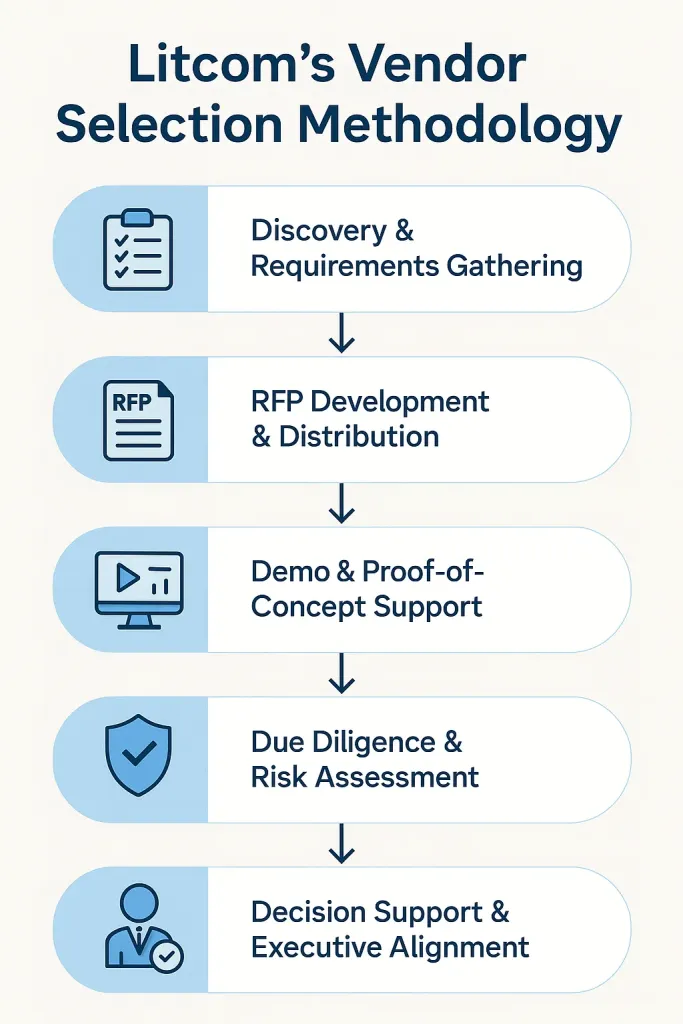
While feature sets are crucial, other considerations can influence long‑term satisfaction.
Customer Support and Onboarding
Responsive support—whether via chat, phone, or email—can be a lifesaver during the initial setup. Some vendors also offer onboarding assistance, which can accelerate adoption.
Security and Data Privacy
Payroll data is highly sensitive. Ensure the provider complies with industry standards such as ISO 27001 or SOC 2, and that data is encrypted both at rest and in transit.
Integration Ecosystem
If you already use accounting software (e.g., QuickBooks, Xero) or a time‑tracking app, verify that the payroll solution integrates seamlessly. This reduces manual data transfers and keeps financial records synchronized.
Vendor Reputation and Reviews
Read independent reviews and case studies from businesses similar in size and industry. A vendor with a proven track record among small enterprises is more likely to understand your unique challenges.
For businesses that need a broader technology partner, exploring development expertise can be valuable. Our article on Ruby on Rails Software Development Company – Your Guide to Choosing the Right Partner outlines how to assess technical partners that could later help customize or extend your payroll system.
Future‑Proofing Your Payroll Strategy

Payroll technology continues to evolve. Features such as AI‑driven compliance alerts, employee self‑service mobile apps, and real‑time earnings statements are becoming mainstream. When selecting simple payroll software for small business today, consider a platform that can adopt these innovations without requiring a complete system overhaul.
Moreover, as remote work expands, the ability to handle multi‑state payroll and varying wage laws will be increasingly important. Choose a solution that already supports multi‑jurisdictional payroll or offers modular add‑ons that can be activated as your workforce becomes more geographically dispersed.
Finally, keep an eye on reporting capabilities. Advanced analytics can reveal labor cost trends, overtime hotspots, and budgeting insights that inform strategic decisions beyond the payroll function.
Transitioning to simple payroll software for small business is not just a tech upgrade; it’s a strategic move that safeguards compliance, improves employee satisfaction, and frees valuable time for core business activities. By following the steps outlined above, evaluating vendors thoughtfully, and planning for future growth, small business owners can confidently replace cumbersome spreadsheets with a reliable, automated payroll engine.