Table of Contents
- Key Features of In House Legal Case Management Software
- Case Intake and Conflict Checking
- Document Management and Version Control
- Task Automation and Workflow Engine
- Time Tracking and Budget Management
- Reporting and Analytics
- Integration Capabilities
- Choosing the Right In House Legal Case Management Software
- Define Business Objectives and Success Metrics
- Assess Security and Compliance Standards
- Evaluate User Experience and Adoption Potential
- Consider Total Cost of Ownership (TCO)
- Request Demonstrations and Pilot Programs
- Implementation Best Practices for In House Legal Case Management Software
- Establish a Cross‑Functional Project Team
- Map Existing Processes and Identify Gaps
- Configure Templates and Automated Rules Early
- Provide Role‑Based Training and Ongoing Support
- Monitor Adoption and Iterate
- Real‑World Impact: Case Studies and Benefits
- Future Trends Shaping In House Legal Case Management Software
- Artificial Intelligence for Document Review
- Predictive Analytics for Risk Management
- Cloud‑Native, Multi‑Tenant Architectures
- Enhanced Mobile Experiences
Corporate legal departments are under increasing pressure to handle a growing volume of cases while maintaining strict compliance and cost efficiency. Traditional spreadsheets, email threads, and paper files no longer suffice in an environment where speed, accuracy, and collaboration are paramount. This is where in house legal case management software steps in, offering a unified platform that transforms how legal teams organize, track, and resolve matters.
Unlike generic project‑management tools, a solution built specifically for legal operations addresses the nuances of case intake, conflict checks, document control, and regulatory reporting. By consolidating these functions into a single, secure system, law departments can reduce manual effort, minimize risk, and provide clearer insight to senior leadership. The shift toward digital case management also aligns with broader corporate initiatives around data analytics and automation.
In the following sections, we explore the core components of in house legal case management software, evaluate the criteria for selecting the right platform, and outline best practices for successful implementation. Whether you are a midsize enterprise or a multinational corporation, the principles discussed here apply across the spectrum of legal operations.
Key Features of In House Legal Case Management Software
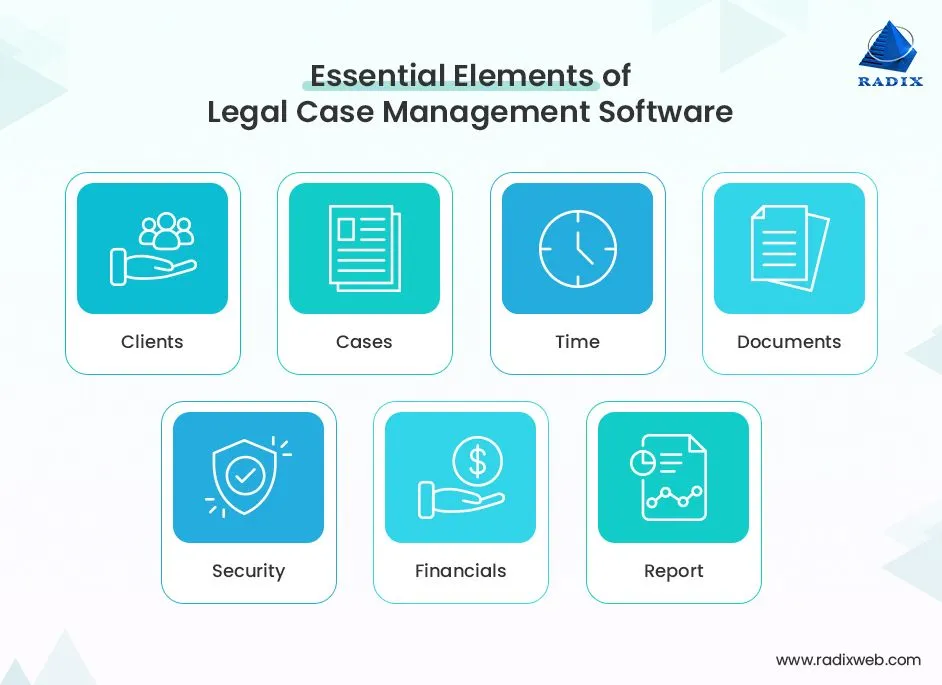
When evaluating a platform, it is essential to understand the functionalities that differentiate a purpose‑built legal case management solution from generic alternatives. Below are the most critical features to consider.
Case Intake and Conflict Checking
Effective in house legal case management software begins with a streamlined intake process. Automated web forms or email parsing allow new matters to be captured instantly, while built‑in conflict‑checking engines compare parties against existing client lists and prior engagements. This reduces the risk of inadvertent conflicts and speeds up the initial triage.
Document Management and Version Control
Legal documents demand rigorous versioning and secure storage. The software should provide a central repository with role‑based permissions, full‑text search, and audit trails. Integration with popular cloud services (e.g., Microsoft SharePoint, Google Drive) ensures that files remain accessible yet protected.
Task Automation and Workflow Engine
Automation is at the heart of modern legal operations. A robust workflow engine can assign tasks, set deadlines, and trigger reminders based on predefined rules. For instance, once a contract reaches a certain approval stage, the system can automatically route it to the appropriate signatory and log the event for compliance reporting.
Time Tracking and Budget Management
Accurate time capture and budget monitoring are crucial for managing internal resources and external counsel spend. The platform should allow lawyers to log time against specific matters, generate budget forecasts, and flag overruns in real time. This transparency helps finance teams allocate resources more effectively.
Reporting and Analytics
Data‑driven insights enable legal leaders to demonstrate value and identify bottlenecks. Dashboards that visualize case volume, cycle time, and cost per matter provide a clear picture of departmental performance. Advanced analytics can even predict case outcomes based on historical data, supporting strategic decision‑making.
Integration Capabilities
Legal teams rarely operate in isolation. The ability to integrate with existing enterprise systems—such as ERP, CRM, e‑billing, and document‑generation tools—is vital. Open APIs and pre‑built connectors reduce the need for manual data entry and ensure a seamless flow of information across the organization.
Choosing the Right In House Legal Case Management Software
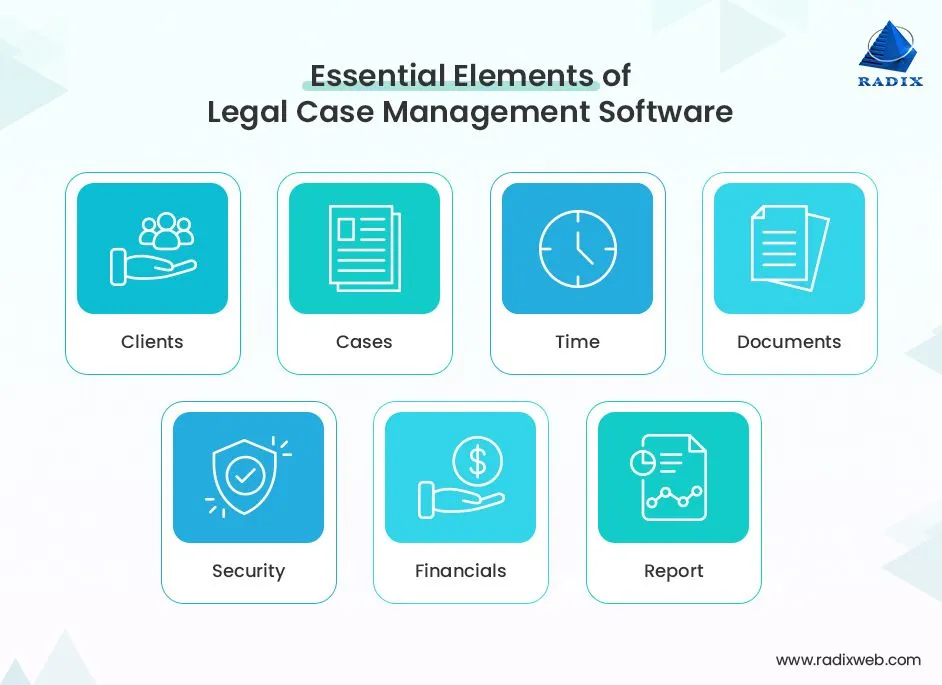
Selecting a solution that aligns with your department’s unique needs requires a disciplined approach. Below are the steps to guide the evaluation process.
Define Business Objectives and Success Metrics
Begin by articulating the primary goals of adopting in house legal case management software. Common objectives include reducing case cycle time by 20 %, improving document retrieval speed, or cutting external counsel spend. Establish measurable KPIs—such as average matter duration or compliance audit scores—to assess the solution’s impact post‑implementation.
Assess Security and Compliance Standards
Legal data is highly sensitive, and the software must comply with standards such as GDPR, HIPAA, or ISO 27001, depending on your industry. Look for features like encryption at rest and in transit, granular access controls, and regular third‑party security audits.
Evaluate User Experience and Adoption Potential
Even the most feature‑rich platform will fail if users find it cumbersome. Conduct usability testing with a representative group of attorneys and paralegals. A clean, intuitive interface reduces training time and encourages consistent adoption across the department.
Consider Total Cost of Ownership (TCO)
Beyond licensing fees, factor in implementation costs, customization, ongoing support, and potential integration expenses. A comprehensive TCO analysis helps avoid surprise expenditures and ensures the solution fits within the legal department’s budget.
Request Demonstrations and Pilot Programs
Short‑term pilots allow you to validate claims in a real‑world setting. During a pilot, track the same success metrics defined earlier and compare them against baseline performance. This evidence‑based approach reduces risk and builds confidence among stakeholders.
Implementation Best Practices for In House Legal Case Management Software
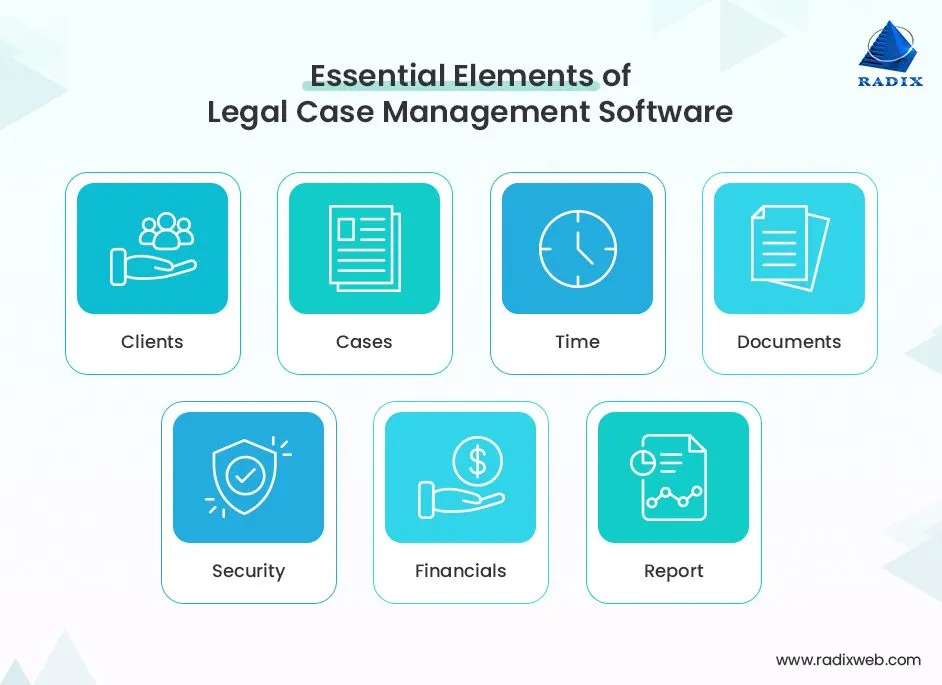
Deploying a new system is a complex undertaking that touches technology, processes, and people. The following best practices can smooth the transition and maximize ROI.
Establish a Cross‑Functional Project Team
Include representatives from legal, IT, finance, and compliance. This ensures that technical requirements, budgeting concerns, and regulatory constraints are addressed from the outset. A dedicated project manager can coordinate timelines, resources, and communication.
Map Existing Processes and Identify Gaps
Before configuring the software, document current workflows for case intake, document review, and billing. Identify pain points that the new system should resolve. This mapping exercise also highlights opportunities for process improvement that the software can enable.
Configure Templates and Automated Rules Early
Leverage the platform’s templating capabilities to standardize intake forms, approval matrices, and reporting formats. Setting up automated rules—such as escalation triggers for overdue tasks—early on reduces manual intervention and enforces consistency.
Provide Role‑Based Training and Ongoing Support
Tailor training sessions to the needs of different user groups. Attorneys may need deep dives into document management, while administrative staff might focus on task assignment and time tracking. Establish a help desk or internal champion network to address questions quickly.
Monitor Adoption and Iterate
Use the built‑in analytics to track user engagement, task completion rates, and any resistance points. Solicit feedback regularly and adjust configurations or training as needed. Continuous improvement is essential for long‑term success.
Real‑World Impact: Case Studies and Benefits

Organizations that have adopted in house legal case management software report measurable gains across multiple dimensions. Below are illustrative examples drawn from recent industry surveys.
- Reduced Cycle Time: A global manufacturing firm cut average contract review time from 12 days to 7 days, a 42 % improvement, by automating routing and approvals.
- Cost Savings: A financial services company lowered external counsel spend by 15 % after gaining visibility into matter budgets and enforcing early‑stage conflict checks.
- Compliance Assurance: A healthcare provider achieved 100 % audit readiness for GDPR by maintaining comprehensive audit trails and encryption logs within the case management system.
- Improved Collaboration: An energy corporation reported a 30 % increase in cross‑functional collaboration after integrating the case management platform with its ERP and document‑generation tools.
These outcomes demonstrate that the benefits extend beyond mere digitization; they represent strategic advantages that align legal operations with broader business goals.
Future Trends Shaping In House Legal Case Management Software
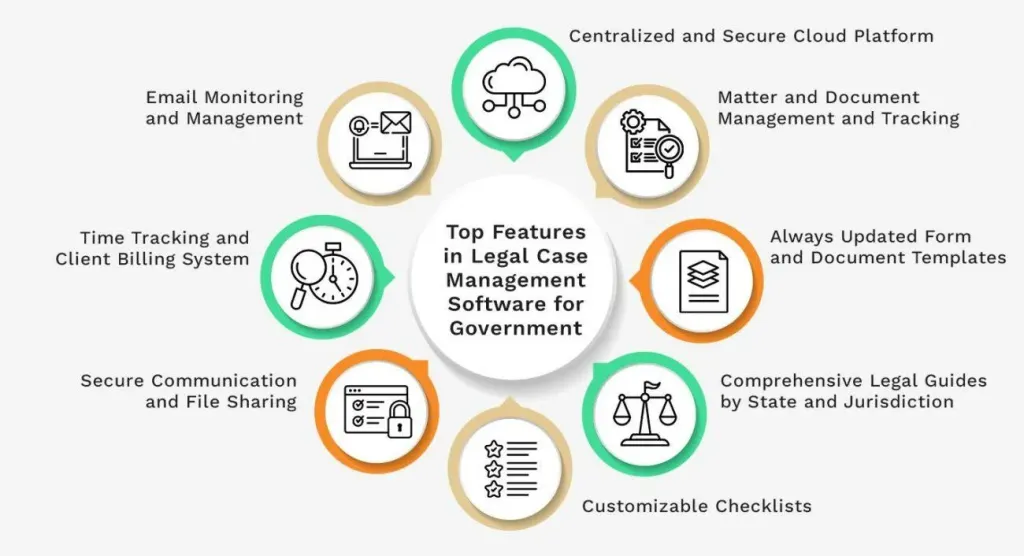
The legal technology landscape continues to evolve, driven by advances in artificial intelligence, data analytics, and cloud computing. Anticipating these trends can help organizations choose a platform that remains relevant for years to come.
Artificial Intelligence for Document Review
AI‑powered contract analysis tools can automatically extract key clauses, flag risky language, and suggest revisions. When integrated into a case management system, AI reduces manual review time and enhances consistency.
Predictive Analytics for Risk Management
Machine‑learning models can analyze historical case data to forecast litigation risk, likely settlement amounts, or regulatory exposure. Embedding these insights within the workflow enables proactive risk mitigation.
Cloud‑Native, Multi‑Tenant Architectures
Modern solutions are increasingly delivered as SaaS, offering scalability, automatic updates, and reduced on‑premise maintenance. Multi‑tenant architectures also facilitate secure data segregation for global enterprises.
Enhanced Mobile Experiences
Legal professionals often work on the go. Mobile‑optimized interfaces allow attorneys to access case files, approve documents, and update task statuses from smartphones or tablets, ensuring continuity across locations.
By staying attuned to these developments, legal departments can future‑proof their investment and continue to reap efficiency gains as technology advances.
In conclusion, adopting in house legal case management software is no longer a luxury but a strategic necessity for modern corporate legal teams. The right platform streamlines case intake, safeguards sensitive data, automates routine tasks, and delivers actionable insights that align legal work with overall business objectives. By following a systematic selection process, investing in thorough implementation, and remaining vigilant about emerging trends, organizations can transform their legal operations from a reactive cost center into a proactive, value‑adding function.
For firms looking to integrate broader operational tools, consider pairing your legal case management solution with a robust performance management software for small companies to align employee objectives, or explore a simple payroll software for small business that simplifies compensation processes across departments.