
Table of Contents
- Key Features of Time and Attendance Software for Small Business
- Choosing the Right Time and Attendance Software for Small Business
- Benefits of Cloud‑Based Time and Attendance Software for Small Business
- Implementation Tips to Ensure Success
- 1. Conduct a Needs Assessment
- 2. Involve Your Team Early
- 3. Pilot the System
- 4. Provide Training and Documentation
- 5. Monitor and Optimize
- Integrating Time and Attendance with Other Business Systems
- Cost Considerations and ROI
- Future Trends Shaping Time and Attendance for Small Business
Running a small business means wearing many hats. From handling customer inquiries to managing inventory, every minute counts. One area that often slips through the cracks is tracking employee hours accurately and ensuring compliance with labor regulations. Traditional punch‑cards or manual spreadsheets can quickly become a source of errors, payroll headaches, and even costly legal disputes. Modern time and attendance software for small business offers a practical solution that aligns with limited budgets while delivering the reliability of enterprise‑grade tools.
Imagine a typical weekday: a team member clocks in using a mobile app, a manager reviews the schedule on a laptop, and payroll automatically pulls the data at month‑end. The process feels seamless, yet it is powered by sophisticated technology that captures timestamps, monitors overtime, and integrates with accounting platforms. For owners who juggle multiple responsibilities, such automation frees up valuable time for strategic growth instead of administrative chores.
In this article we will explore the core features small businesses should look for, discuss the benefits of adopting a cloud‑based solution, and provide practical tips for a smooth implementation. Whether you run a retail store, a boutique agency, or a home‑based service, the right time and attendance software can become the backbone of your workforce management strategy.
Key Features of Time and Attendance Software for Small Business

When evaluating options, focus on functionalities that directly address the pain points of a small operation. Below are the essential components to consider:
- Clock‑in/out flexibility: Support for web, mobile, and biometric devices ensures employees can log hours from the office, remote locations, or job sites.
- Automated scheduling: Drag‑and‑drop calendars, shift swapping, and real‑time availability checks reduce conflicts and improve coverage.
- Payroll integration: Seamless export to popular payroll systems or direct API connections eliminates double entry and minimizes errors.
- Compliance alerts: Built‑in rules for overtime, break periods, and local labor laws help avoid costly violations.
- Reporting and analytics: Visual dashboards reveal trends in attendance, overtime costs, and labor productivity.
Choosing the Right Time and Attendance Software for Small Business
Not all solutions are created equal, and the best fit depends on your specific workflow. Here are three decision‑making criteria that matter most to small business owners:
- Scalability: The platform should accommodate growth from a handful of employees to a few dozen without steep price jumps.
- Ease of use: Intuitive interfaces reduce training time. Look for a system that offers self‑service portals for both managers and staff.
- Cost structure: Subscription models based on active users or per‑feature tiers give you control over monthly expenses.
For example, a boutique consulting firm might prioritize robust reporting and integration with a general ledger software for small business, whereas a construction crew would value GPS‑enabled mobile clock‑in and offline capabilities.
Benefits of Cloud‑Based Time and Attendance Software for Small Business

Moving to the cloud eliminates the need for on‑premise servers and reduces IT overhead. Small businesses reap several advantages:
- Accessibility: Managers can approve time sheets from any device, anytime, which is crucial for businesses with multiple locations.
- Automatic updates: New features, security patches, and compliance rules are delivered without manual intervention.
- Data security: Reputable vendors employ encryption, regular backups, and multi‑factor authentication to protect sensitive employee data.
- Integration ecosystem: Many cloud platforms offer pre‑built connectors to popular accounting, HR, and payroll tools, simplifying data flow.
These benefits translate into tangible savings. A study by the Workforce Institute found that businesses adopting cloud time and attendance solutions reduced administrative costs by up to 30 percent within the first year.
Implementation Tips to Ensure Success
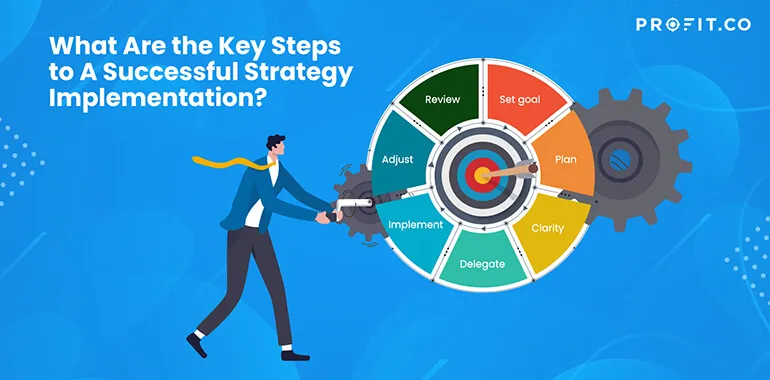
Deploying new software can feel daunting, but a structured rollout minimizes disruption. Follow these steps for a smooth transition:
1. Conduct a Needs Assessment
Start by mapping current time‑tracking processes. Identify bottlenecks—perhaps manual entry errors or delayed approvals—and match them against the features highlighted earlier. This clarity helps you select a solution that directly addresses existing gaps.
2. Involve Your Team Early
Gather feedback from employees who will use the system daily. Their insights can guide decisions about mobile app preferences, clock‑in locations, or the need for shift‑swap functionality. Early involvement also builds buy‑in, reducing resistance during launch.
3. Pilot the System
Run a 2‑week pilot with a single department or location. Use the pilot to test integration with payroll, verify compliance alerts, and gauge user satisfaction. Adjust configurations based on real‑world data before full deployment.
4. Provide Training and Documentation
Even the most intuitive interface benefits from brief walkthroughs. Offer short video tutorials, quick‑start guides, and a live Q&A session. Ensure that managers know how to approve timesheets, while staff understand how to clock in correctly.
5. Monitor and Optimize
After go‑live, track key metrics such as time‑sheet approval cycle time, overtime incidents, and payroll error rates. Use the software’s reporting tools to spot trends and make iterative improvements—perhaps tweaking shift patterns or updating compliance rules.
Integrating Time and Attendance with Other Business Systems

One of the most powerful aspects of modern time and attendance software for small business is its ability to speak to other applications. A seamless integration with payroll eliminates manual data transfer, while linking to an inventory management system can help businesses align labor costs with product demand.
For firms that already use a specific accounting platform, check whether the time‑tracking solution offers a native connector or an open API. Integration with a help desk software as a service can also be valuable for service‑oriented businesses, allowing supervisors to see ticket volumes alongside labor hours.
Cost Considerations and ROI
While price is always a factor, evaluating cost solely on a monthly subscription can be misleading. Consider the total cost of ownership, which includes:
- Time saved on manual entry and error correction.
- Reduced overtime penalties due to better scheduling.
- Lower risk of compliance fines.
- Improved employee satisfaction from transparent scheduling.
Many vendors provide tiered pricing—basic plans may start as low as $2 per user per month, while premium tiers add advanced analytics and custom integrations. When the savings from reduced administrative labor and avoided penalties are factored in, the return on investment often materializes within the first six months.
Future Trends Shaping Time and Attendance for Small Business
Technology evolves rapidly, and small businesses can benefit from emerging trends without waiting for enterprise rollout cycles:
- AI‑driven scheduling: Algorithms predict optimal shift patterns based on historical demand, minimizing overstaffing.
- Biometric and facial recognition: Enhanced security for clock‑in reduces buddy‑punching.
- IoT integrations: Sensors detect employee presence in real time, useful for manufacturing floors or retail environments.
- Employee self‑service portals: Empower staff to view schedules, request time off, and see earned wage statements instantly.
Adopting a flexible platform today ensures you can tap into these innovations as they become mainstream, keeping your workforce management ahead of the curve.
In summary, time and attendance software for small business is no longer a luxury; it is a practical necessity that drives efficiency, compliance, and employee satisfaction. By selecting a solution that matches your operational needs, involving your team from the start, and integrating with existing tools, you can transform how you manage labor—turning what was once a time‑consuming chore into a strategic advantage. As you embark on this journey, remember that the ultimate goal is not just to track hours, but to empower your workforce to focus on the work that truly moves your business forward.