
Table of Contents
- Why Choose Simple Inventory Management Software for Small Business
- Key Features of Simple Inventory Management Software for Small Business
- Choosing the Right Solution: Practical Considerations
- Integrating Inventory Management with Existing Business Processes
- Best Practices for Ongoing Inventory Accuracy
- Conduct Regular Cycle Counts
- Standardize Data Entry
- Train Staff Continuously
- Leverage Alerts and Automation
- Cost Considerations and Return on Investment
Running a small business often means wearing many hats—owner, marketer, accountant, and sometimes even the warehouse clerk. When inventory is involved, the challenge intensifies. Manual spreadsheets can quickly become tangled, leading to misplaced items, over‑stocking, or costly stock‑outs. The turning point comes when a business adopts a system designed to keep track of every unit without adding complexity.
Today, a simple inventory management software for small business offers exactly that balance: powerful tracking capabilities wrapped in an intuitive interface. It replaces endless paper logs with real‑time data that can be accessed from a laptop or a smartphone. This shift not only saves time but also creates a foundation for better purchasing decisions, smoother fulfillment, and happier customers.
In the following sections we will explore what makes such software essential, the core features to look for, and practical steps to integrate it into everyday operations. By the end of the article, you will have a clear roadmap for selecting and deploying a solution that fits your budget and growth plans.
Why Choose Simple Inventory Management Software for Small Business

Small businesses differ from large enterprises in several key ways: limited staff, tighter budgets, and the need for rapid decision‑making. A simple inventory management software for small business respects these constraints by delivering essential functionality without overwhelming users. Here are three reasons why it stands out:
- Ease of use: Most solutions are built with a clean dashboard that requires minimal training. Employees can start logging items after a short walkthrough.
- Cost‑effectiveness: Pricing models often follow a subscription plan based on the number of users or items, keeping monthly expenses predictable.
- Scalability: As the business grows, the software can accommodate new product lines, multiple warehouses, or e‑commerce integration without a complete overhaul.
When paired with other tools—such as general ledger software for small business—the inventory system becomes a hub that feeds accurate financial data into accounting reports, reducing manual entry errors.
Key Features of Simple Inventory Management Software for Small Business
While every vendor markets a slightly different set of capabilities, the most valuable features tend to be consistent across the market. Below is a checklist that helps you evaluate whether a solution truly qualifies as simple inventory management software for small business:
- Real‑time stock visibility: Automatic updates when items are received, sold, or transferred, displayed in a central dashboard.
- Barcode scanning support: Using a cheap smartphone camera or a low‑cost scanner to add or subtract inventory instantly.
- Low‑stock alerts: Customizable thresholds that trigger email or push notifications before items run out.
- Batch and expiry tracking: Essential for perishable goods or items with serial numbers, ensuring compliance and waste reduction.
- Multi‑location management: Ability to track inventory across a storefront, a warehouse, and a pop‑up shop from the same interface.
- Integration capabilities: Connectors for popular point‑of‑sale (POS) systems, e‑commerce platforms, and accounting software.
- Reporting and analytics: Simple charts that show turnover rates, most‑selling products, and cost‑of‑goods‑sold (COGS) trends.
These features collectively enable a small business to move from reactive stock handling to proactive, data‑driven inventory control.
Choosing the Right Solution: Practical Considerations
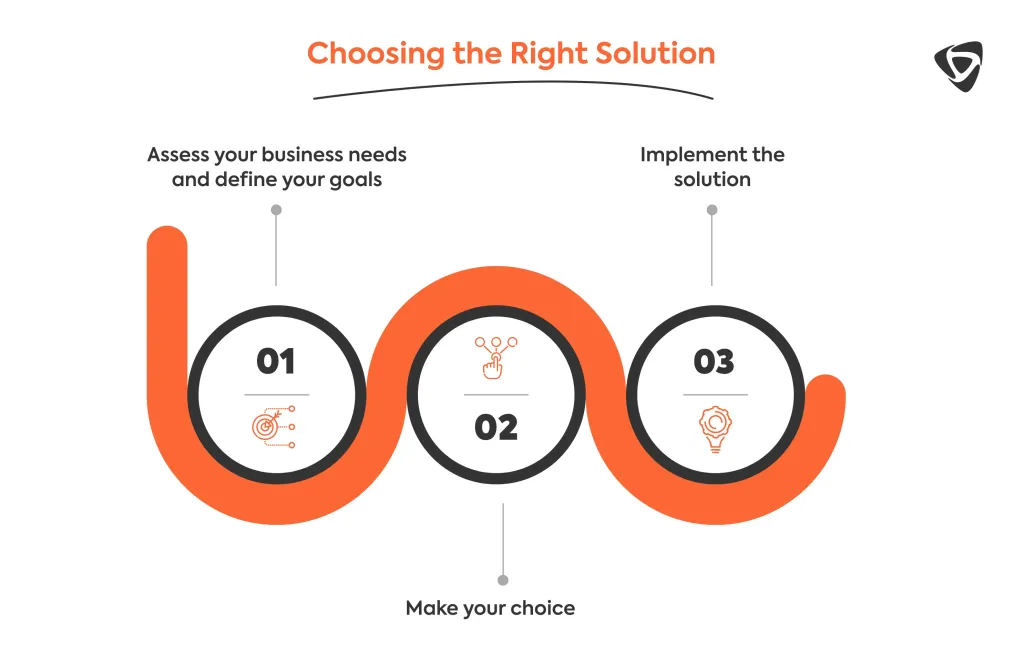
Not all inventory tools are created equal, and the “simple” label can sometimes mask hidden complexities. To avoid disappointment, focus on the following criteria:
- Deployment model: Cloud‑based solutions require no on‑premise servers and offer automatic updates, while on‑premise software may give more control but adds maintenance overhead.
- User limits and pricing tiers: Ensure the plan you select covers your current staff count and provides room for growth without sudden price jumps.
- Customer support: Look for vendors that offer live chat or phone support, especially during the initial implementation phase.
- Security and data backups: Inventory data is critical; verify that the provider encrypts data at rest and performs regular backups.
Many small businesses also benefit from a free trial period. Use this time to import a sample of your product list, test barcode scanning, and generate a few reports. If the software feels intuitive and meets your checklist, it likely qualifies as a truly simple inventory management solution.
Integrating Inventory Management with Existing Business Processes
Adopting a new system is only half the battle; the real value emerges when the software talks to the rest of your tech stack. Typical integrations include:
- Point‑of‑sale (POS) systems: Synchronize sales data instantly, so inventory levels update the moment a transaction occurs.
- E‑commerce platforms (Shopify, WooCommerce, etc.): Keep online and offline stock in sync, preventing overselling.
- Accounting software: Transfer COGS and inventory valuation automatically, simplifying month‑end closing.
- Supply chain tools: Align purchase orders with low‑stock alerts, enabling just‑in‑time replenishment.
For a deeper look at how inventory data can feed financial statements, see the article on manufacturing scheduling software for small business. It illustrates how production planning and inventory tracking intersect, creating a smoother workflow from raw material receipt to finished‑goods delivery.
Best Practices for Ongoing Inventory Accuracy
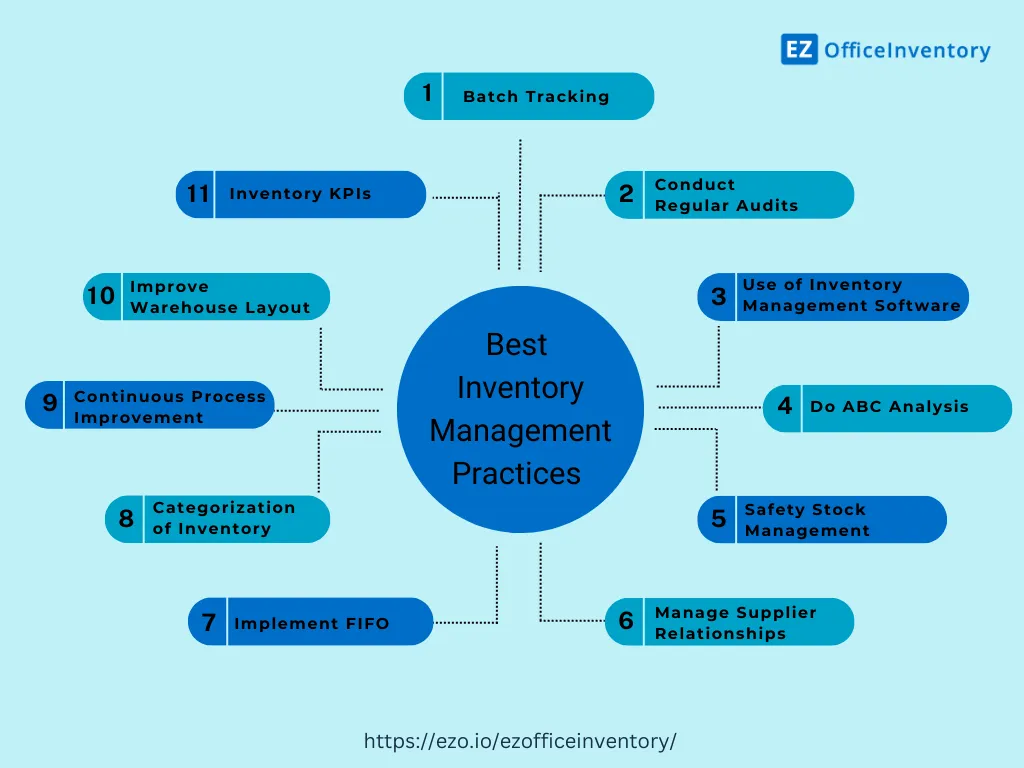
Even the best simple inventory management software for small business cannot compensate for poor operational habits. Implement these practices to maintain data integrity:
Conduct Regular Cycle Counts
Instead of a full physical inventory once a year, schedule short cycle counts each week for different product categories. This spreads the effort and catches discrepancies early.
Standardize Data Entry
Use consistent naming conventions, units of measure, and SKU formats. When every employee follows the same rules, reports become more reliable.
Train Staff Continuously
Even a simple system benefits from periodic refresher sessions. New hires should receive a quick tutorial, and existing staff should be reminded of best practices whenever updates are rolled out.
Leverage Alerts and Automation
Set low‑stock thresholds for fast‑moving items and enable automatic reorder triggers if your supplier supports electronic purchase orders. This reduces manual work and prevents stock‑outs.
Cost Considerations and Return on Investment
Investing in inventory software is not just an expense; it’s a catalyst for cost savings. Common areas where businesses see a return include:
- Reduced carrying costs: Better visibility prevents over‑stocking, freeing up cash tied in inventory.
- Lower shrinkage: Accurate tracking reduces loss from theft, damage, or misplacement.
- Improved order fulfillment: Faster, error‑free picking leads to higher customer satisfaction and repeat business.
- Time savings: Automated data entry replaces manual spreadsheets, allowing staff to focus on revenue‑generating activities.
Calculate your ROI by comparing the monthly subscription fee against these tangible savings. In many cases, the break‑even point is reached within a few months.
Choosing a simple inventory management software for small business is a strategic move that aligns technology with the practical realities of running a lean operation. By focusing on ease of use, essential features, and seamless integration, owners can transform inventory from a headache into a competitive advantage.
Whether you are just starting out or looking to upgrade from a spreadsheet, the right tool will give you real‑time insight, reduce errors, and free up valuable time. Take advantage of trial periods, involve your team early, and adopt the best practices outlined above. The result will be a smoother, more responsive supply chain that supports growth without adding unnecessary complexity.