Table of Contents
- human resources software for small businesses: Core Features to Expect
- Employee Database & Self‑Service Portal
- Recruitment & Applicant Tracking
- Time and Attendance Management
- Payroll Processing & Tax Compliance
- Performance Management & Employee Development
- Compliance & Reporting
- Why Small Businesses Should Invest in Human Resources Software
- Reduced Administrative Burden
- Improved Accuracy and Risk Management
- Scalable Growth
- Enhanced Employee Experience
- Data‑Driven Decision Making
- Choosing the Right Human Resources Software for Small Businesses
- Assess Your Core Needs
- Consider Deployment Options
- Evaluate Integration Capabilities
- Review Pricing Models
- Test User Experience
- Check Customer Support & Training Resources
- Implementation Tips for a Smooth Transition
- Plan a Data Migration Strategy
- Train Your Team Early
- Communicate the Benefits
- Start with a Pilot Group
- Monitor and Iterate
Running a small business means wearing many hats. From handling sales and marketing to managing inventory, the owner often finds themselves juggling tasks that larger companies delegate to whole departments. One area that frequently gets squeezed is human resources. Yet, effective HR practices are essential for attracting talent, staying compliant, and keeping employees motivated. In recent years, technology has leveled the playing field, offering affordable, cloud‑based solutions that bring professional HR capabilities to businesses with only a handful of staff.
Human resources software for small businesses is no longer a luxury; it is becoming a core component of operational efficiency. By automating routine processes—such as tracking time off, processing payroll, and onboarding new hires—these tools free up valuable time for owners and managers to focus on growth strategies. Moreover, the data insights generated by modern HR platforms help small firms make informed decisions about workforce planning, compensation, and employee engagement.
This article walks through the key features to look for, the benefits of adopting an HR system, and practical tips for choosing the right solution. Whether you are a startup founder or a long‑standing family business owner, the guidance below will help you evaluate and implement a system that fits both your budget and your unique needs.
human resources software for small businesses: Core Features to Expect
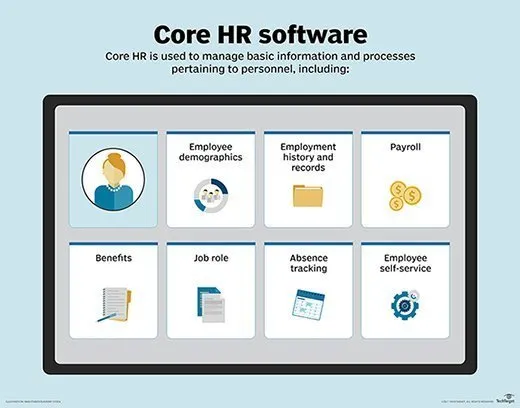
When evaluating any HR platform, start by matching its feature set against the day‑to‑day challenges you face. Below are the most common capabilities that define a robust human resources software for small businesses.
Employee Database & Self‑Service Portal
- Centralized repository for personal details, emergency contacts, and employment history.
- Self‑service portal where staff can update their information, view pay slips, and request time off.
Recruitment & Applicant Tracking
- Job posting integration with popular boards and social media.
- Applicant tracking tools that let you move candidates through stages, schedule interviews, and store resumes.
- For a deeper dive into recruitment tools, see our Applicant Tracking Software for Small Business – A Practical Guide.
Time and Attendance Management
- Clock‑in/out functionality via web, mobile, or biometric devices.
- Automatic calculation of overtime, shift differentials, and paid time off accruals.
- Learn more about related solutions in our Time and Attendance Software for Small Business – A Complete Guide.
Payroll Processing & Tax Compliance
- Direct deposit, pay‑stub generation, and multi‑state tax calculations.
- Automatic filing of quarterly and annual payroll taxes.
- Integration with accounting software to ensure seamless financial reporting.
Performance Management & Employee Development
- Goal‑setting modules that align individual objectives with company strategy.
- Regular review cycles, 360‑degree feedback, and training record tracking.
- Analytics dashboards that highlight high‑performers and identify skill gaps.
Compliance & Reporting
- Templates for mandatory reports such as OSHA logs, EEO‑1, and wage‑hour audits.
- Alert system for upcoming regulatory deadlines.
- Data export options for external audits or HR consultants.
Why Small Businesses Should Invest in Human Resources Software
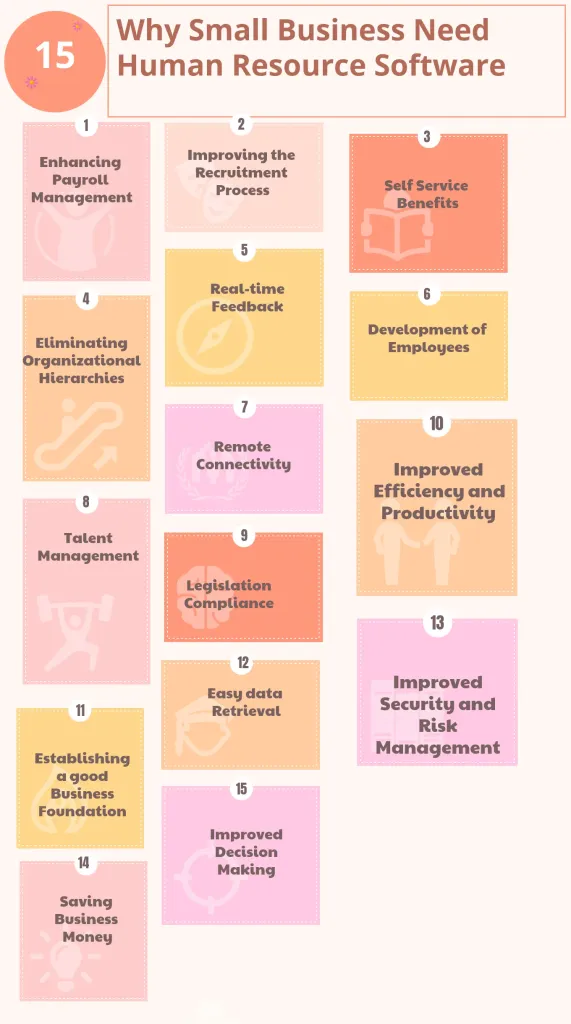
Cost savings are often the first argument presented by vendors, but the true value of human resources software for small businesses extends far beyond the bottom line. Below are the most compelling reasons to make the investment.
Reduced Administrative Burden
Manual entry of employee data, calculation of payroll, and paper‑based record keeping consume countless hours each month. By automating these tasks, a small business can reclaim up to 30 % of its HR‑related time, allowing staff to focus on revenue‑generating activities.
Improved Accuracy and Risk Management
Human error in payroll calculations or compliance reporting can lead to costly penalties. Modern HR platforms perform real‑time validation, automatically applying the latest tax tables and labor‑law updates, which dramatically reduces the risk of mistakes.
Scalable Growth
When a company hires its first ten employees, a simple spreadsheet might suffice. However, as the workforce expands to 50 or 100 people, maintaining data integrity becomes challenging. Human resources software for small businesses scales alongside the organization, supporting additional users, new locations, and complex pay structures without a complete system overhaul.
Enhanced Employee Experience
Today’s workforce expects self‑service options. An intuitive portal where staff can view their benefits, request leave, and access training materials boosts satisfaction and retention. Moreover, transparent performance metrics create a culture of accountability and recognition.
Data‑Driven Decision Making
Integrated analytics provide insight into turnover rates, overtime costs, and employee engagement scores. These metrics help owners identify trends early, adjust compensation plans, and allocate resources where they are most needed.
Choosing the Right Human Resources Software for Small Businesses
Selecting a platform is not a one‑size‑fits‑all decision. Below is a practical checklist that guides you through the evaluation process, ensuring you pick a solution that aligns with your operational style and budget constraints.
Assess Your Core Needs
- Identify the most time‑consuming HR tasks in your current workflow.
- Determine which features (payroll, recruitment, time tracking) are must‑haves versus nice‑to‑have.
Consider Deployment Options
- Cloud‑based solutions offer automatic updates, lower upfront costs, and accessibility from any device.
- On‑premise software may be preferable if you have strict data‑privacy requirements, but it typically involves higher maintenance expenses.
Evaluate Integration Capabilities
- Ensure the HR system can sync with your existing accounting, ERP, or CRM tools.
- Open APIs simplify custom integrations and future-proof your tech stack.
Review Pricing Models
- Most vendors charge per employee per month; compare tiered pricing to find the most cost‑effective plan.
- Watch for hidden fees such as implementation charges, add‑on modules, or premium support.
Test User Experience
- Take advantage of free trials or sandbox environments.
- Gather feedback from HR staff, managers, and regular employees during the trial period.
Check Customer Support & Training Resources
- Responsive support (live chat, phone, email) is crucial for quick issue resolution.
- Comprehensive knowledge bases, video tutorials, and onboarding assistance reduce the learning curve.
Implementation Tips for a Smooth Transition
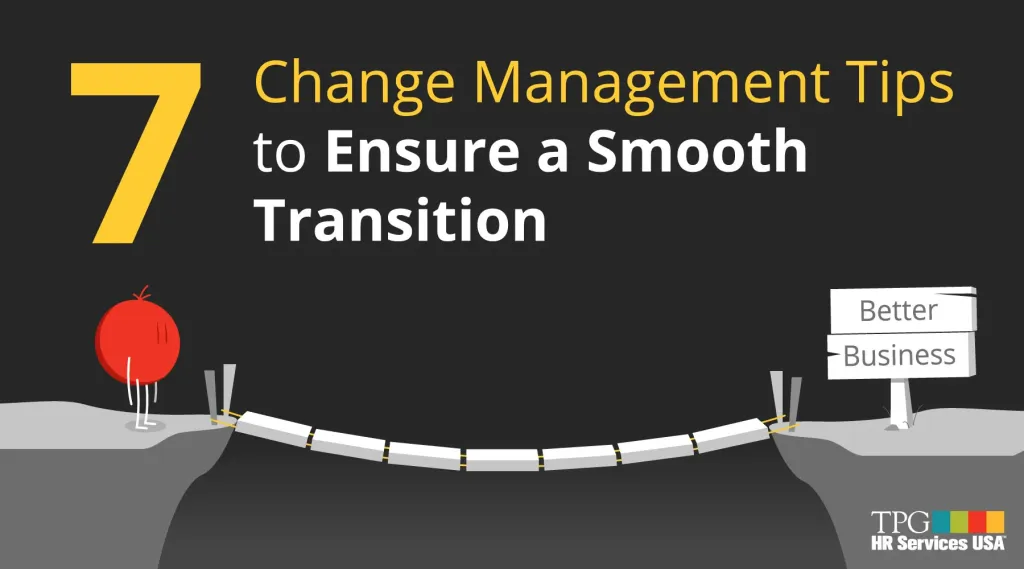
Adopting human resources software for small businesses is a strategic move, but the rollout phase determines its long‑term success. Follow these steps to minimize disruption.
Plan a Data Migration Strategy
Start by cleaning existing employee records—remove duplicates, correct formatting errors, and standardize job titles. Most vendors provide migration tools or professional services to import data from spreadsheets or legacy systems.
Train Your Team Early
Schedule brief, role‑specific training sessions. Managers should learn how to approve leave requests and run reports, while employees focus on navigating the self‑service portal.
Communicate the Benefits
Explain to staff why the new system is being introduced and how it will make their daily tasks easier. Clear communication reduces resistance and encourages adoption.
Start with a Pilot Group
Roll out the software to a single department or location first. Use the pilot period to identify any workflow gaps, then refine the configuration before a company‑wide launch.
Monitor and Iterate
After go‑live, track key metrics such as time‑off request turnaround, payroll processing time, and user satisfaction. Use this data to fine‑tune settings, add optional modules, or adjust training materials.
In the evolving landscape of small‑business operations, human resources software for small businesses has become a cornerstone for sustainable growth. By automating repetitive tasks, ensuring compliance, and delivering actionable insights, these platforms empower owners to build stronger, more engaged teams without the overhead of a large HR department.
As you explore the market, keep the focus on your specific pain points, integration needs, and budget limits. A thoughtful selection process, coupled with a structured implementation plan, will unlock the full potential of your HR investment and set the stage for continued success.