Table of Contents
- Understanding Scalable VPS Hosting With Root Access
- Key Benefits of a Scalable, Root‑Enabled VPS
- How to Choose the Right Provider
- Infrastructure and Data Center Locations
- Resource Scaling Mechanisms
- Root Access Policies
- Backup and Snapshot Capabilities
- Support and Documentation
- Implementing Scalability: Practical Tips
- Automate Resource Provisioning
- Leverage Containerization
- Implement Load Balancing
- Monitor Resource Utilization
- Adopt a Layered Security Model
- Cost Management Strategies
- Real‑World Use Cases
- WordPress Hosting at Scale
- Low‑Latency Forex Trading
- Managed Services for Small Businesses
- Security Best Practices for Root‑Enabled Environments
- Disable Password Authentication
- Use a Non‑Default Root Port
- Implement Role‑Based Access Control (RBAC)
- Regular Auditing
- Apply Kernel Hardening
Scalable VPS hosting with root access has become a cornerstone for projects that demand both flexibility and deep system control. From burgeoning startups launching their first web application to seasoned forex traders seeking low‑latency connections, the combination of vertical scaling and unrestricted administrative privileges offers a unique blend of power and adaptability. This article walks through the technical foundations, practical considerations, and real‑world scenarios that illustrate why such a hosting solution is increasingly vital in today’s fast‑moving digital landscape.
Imagine a development team that can instantly add more CPU cores when traffic spikes, while still being able to install custom security modules, tweak kernel parameters, or run specialized software stacks. That same team can also roll back changes, script automated provisioning, and monitor resource consumption in real time. The ability to do all of this without waiting for a provider to intervene is what makes root‑enabled, scalable VPS hosting stand out from shared hosting or rigid dedicated servers.
In the following sections we will explore the core concepts, evaluate key selection criteria, and present actionable tips that help you harness the full potential of a scalable VPS. Whether you are evaluating options for a WordPress site, a high‑frequency trading platform, or a private cloud environment, the principles remain the same.
Understanding Scalable VPS Hosting With Root Access
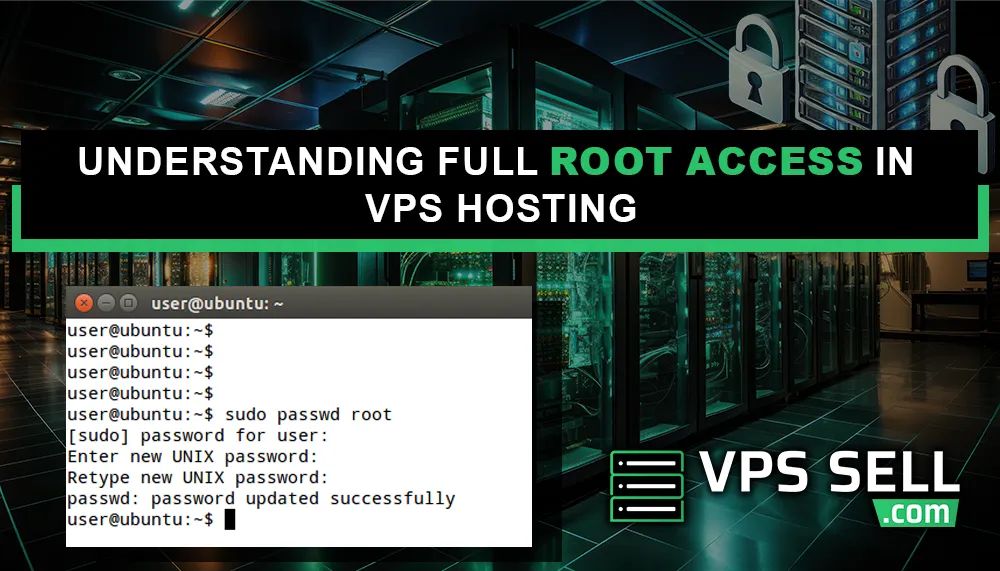
A Virtual Private Server (VPS) is a partitioned segment of a physical server that runs its own operating system, independent of other tenants. “Scalable” refers to the ability to adjust resources—CPU, RAM, storage, and bandwidth—on demand, typically through a provider’s control panel or API. “Root access” grants the user administrative privileges equivalent to the superuser account on Linux or the Administrator account on Windows, allowing full control over the server’s configuration.
When combined, these features give you a sandboxed environment that feels like a dedicated server but offers the elasticity of the cloud. You can start with a modest configuration for development or testing and seamlessly scale up as traffic or processing needs increase, all while retaining the freedom to install custom software, modify system files, and apply security policies that match your exact requirements.
Key Benefits of a Scalable, Root‑Enabled VPS
- Performance on demand: Allocate additional CPU cores or RAM during peak periods without downtime.
- Full control: Install any OS distribution, run custom scripts, and modify kernel settings.
- Cost efficiency: Pay only for the resources you consume, avoiding the expense of over‑provisioned hardware.
- Isolation and security: Each VPS operates in its own virtual environment, reducing cross‑tenant risk.
- Automation friendly: Use configuration management tools (Ansible, Chef, Puppet) to provision and manage servers at scale.
How to Choose the Right Provider

Selecting a VPS host that truly supports scalable growth and root access requires more than a glance at pricing tables. Below are the primary factors to evaluate.
Infrastructure and Data Center Locations
Low latency is critical for applications like online trading or real‑time gaming. Choose a provider with data centers close to your user base or trading venues. Providers that offer multiple regions also simplify geographic scaling and redundancy.
Resource Scaling Mechanisms
Some hosts require you to submit a support ticket to increase resources, while others provide an instant “scale up” button or API endpoint. For rapid growth scenarios, instant scaling is essential.
Root Access Policies
Verify that the provider grants unrestricted root privileges from day one. Some “managed” VPS plans may limit certain actions for security reasons. If you need full control, a “unmanaged” or “self‑managed” plan is typically the right choice.
Backup and Snapshot Capabilities
Scalable environments often involve frequent changes. Reliable snapshot tools enable you to capture a point‑in‑time state before major upgrades, reducing the risk of data loss.
Support and Documentation
Even with root access, you’ll occasionally need provider assistance—especially for network configuration or hardware issues. Look for 24/7 support channels and comprehensive knowledge bases.
Implementing Scalability: Practical Tips

Once you have a suitable VPS, the next step is to design a system that can truly scale. Below are concrete actions you can take.
Automate Resource Provisioning
Use scripts or infrastructure‑as‑code tools (Terraform, CloudFormation) to automate the creation of new VPS instances or the resizing of existing ones. Automation minimizes human error and speeds up response to traffic spikes.
Leverage Containerization
Docker or Podman containers allow you to encapsulate applications and their dependencies, making it easier to move workloads between VPS instances as you scale horizontally.
Implement Load Balancing
Distribute incoming traffic across multiple VPS nodes using software load balancers (HAProxy, Nginx) or cloud‑native services. Load balancing ensures no single server becomes a bottleneck.
Monitor Resource Utilization
Set up monitoring stacks (Prometheus + Grafana, Zabbix) to track CPU, memory, disk I/O, and network usage. Alerts can trigger automated scaling actions or manual intervention before performance degrades.
Adopt a Layered Security Model
Root access gives you power, but it also raises the stakes for security. Implement firewalls (UFW, iptables), fail2ban for brute‑force protection, and regular OS patching. For added privacy, consider a VPS with built‑in VPN service to encrypt outbound traffic.
Cost Management Strategies
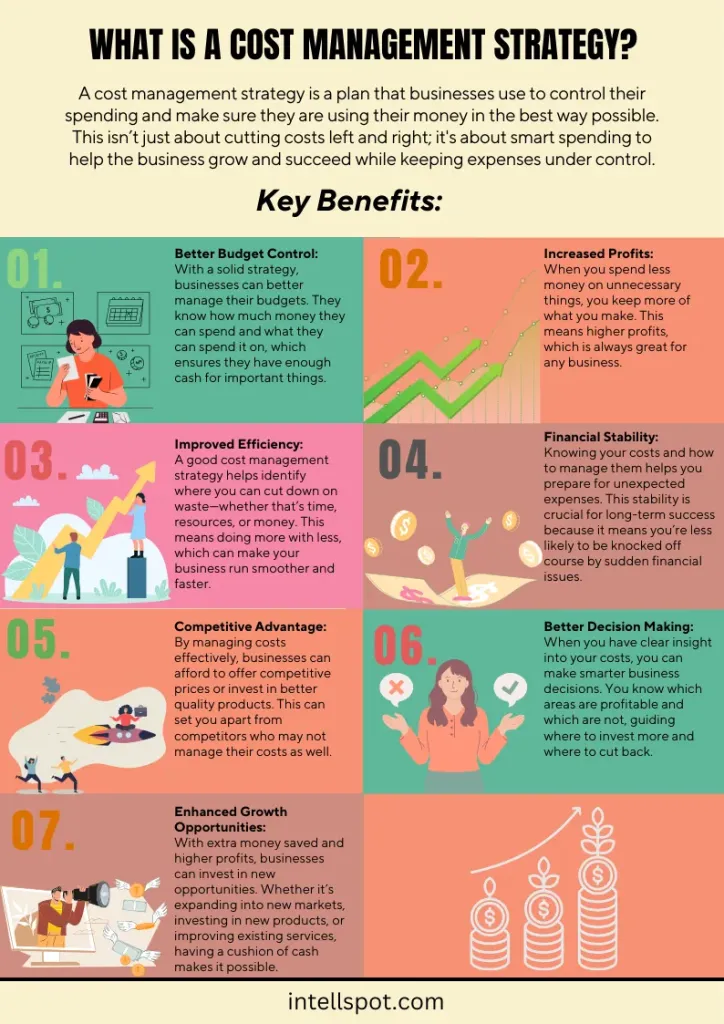
Scalable resources can lead to unexpected expenses if not monitored. Here are ways to keep costs predictable.
- Set usage caps: Many providers allow you to define maximum resource thresholds that prevent runaway billing.
- Choose hourly billing: Pay only for the minutes your VPS runs, especially useful for temporary test environments.
- Leverage spot instances: Some hosts offer discounted compute when capacity is abundant; these are ideal for non‑critical batch jobs.
- Consolidate workloads: Use containers or virtual environments to run multiple services on a single VPS, reducing the number of instances you need.
Real‑World Use Cases
To illustrate the versatility of scalable VPS with root access, let’s examine three distinct scenarios.
WordPress Hosting at Scale
High‑traffic blogs and e‑commerce sites built on WordPress often outgrow shared hosting plans. A VPS lets you install performance‑enhancing tools such as Varnish, Redis, and custom PHP extensions. For a deeper dive into optimizing WordPress on VPS, see The Ultimate Guide to Finding the Best VPS Hosting for WordPress Websites.
Low‑Latency Forex Trading
Forex traders require milliseconds of latency to execute orders. By deploying a VPS in a data center near major financial exchanges and configuring a dedicated network interface, traders can achieve consistent, low‑delay connections. The importance of such a setup is detailed in Why Every Serious Forex Trader Needs a VPS Server.
Managed Services for Small Businesses
Small enterprises often lack in‑house IT staff. A managed VPS that still provides root access allows a third‑party to handle routine maintenance while the business retains the ability to install custom applications. The advantages of this approach are explored in Why Managed VPS Hosting Is the Secret Weapon Small Businesses Need.
Security Best Practices for Root‑Enabled Environments

Having root privileges is a double‑edged sword. While it empowers you to customize the stack, it also expands the attack surface. Follow these practices to maintain a secure environment:
Disable Password Authentication
Enforce SSH key‑based login and disable password authentication in /etc/ssh/sshd_config. This prevents brute‑force attempts on the root account.
Use a Non‑Default Root Port
Changing the SSH daemon port from the default 22 to a high, random number reduces automated scanning noise.
Implement Role‑Based Access Control (RBAC)
Create limited sudo users for day‑to‑day operations, reserving the root account for only essential system changes.
Regular Auditing
Deploy tools like auditd or OSSEC to log privileged commands and detect suspicious activity.
Apply Kernel Hardening
Enable sysctl parameters such as net.ipv4.tcp_syncookies=1 and fs.protected_symlinks=1 to mitigate common exploits.
By integrating these measures, you maintain the flexibility of root access without compromising the integrity of your server.
In summary, scalable VPS hosting with root access offers a compelling blend of performance, control, and cost efficiency. The ability to dynamically adjust resources ensures that applications can meet demand spikes without disruption, while full administrative rights let you tailor the operating environment to precise specifications. By carefully selecting a provider, automating scaling workflows, and adhering to rigorous security standards, organizations of any size can unlock the full potential of this technology. Whether you are building a high‑traffic website, running latency‑sensitive trading algorithms, or delivering managed services to clients, the principles outlined here provide a roadmap for sustainable growth and reliable operation.