Table of Contents
- How a Lockbox Works: The Step‑by‑Step Process
- 1. Customer Sends Payment to the Designated PO Box
- 2. Bank Receives and Sorts the Mail
- 3. Imaging and Data Capture
- 4. Funds are Deposited
- 5. Reporting and Integration
- Types of Lockbox Services
- Traditional (Physical) Lockbox
- Electronic Lockbox
- Hybrid Lockbox
- Benefits Beyond Faster Cash Flow
- Reduced Labor Costs
- Improved Accuracy
- Enhanced Security
- Better Customer Experience
- Scalable Reporting
- Key Considerations Before Implementing a Lockbox
- Cost Structure
- Volume Threshold
- Integration Capabilities
- Service Level Agreements (SLAs)
- Regulatory and Compliance Issues
- Geographic Reach
- Real‑World Applications: Industries That Benefit Most
- Healthcare Providers
- Utilities and Telecom
- Government Agencies
- E‑Commerce and Subscription Services
- Implementation Checklist: From Decision to Go‑Live
- Future Trends: Lockboxes in the Age of Digital Payments
When a company mentions “what is a lockbox at a bank,” it is often referring to a specialized cash‑management service that can dramatically speed up the collection of receivables. In simple terms, a lockbox is a post office box that a bank controls on behalf of a business, where customers send their payments directly. By routing checks and electronic remittances to this secured box, the bank can process the funds faster, reduce handling errors, and give the company quicker access to cash.
Imagine a midsize manufacturer that receives hundreds of paper checks each month from distributors across the country. Before adopting a lockbox, the firm’s accounting team would have to open the mail, sort the payments, and manually enter each deposit into the accounting system—a time‑consuming chore that ties up staff and delays cash availability. With a lockbox in place, the bank becomes the first recipient of those checks, scans them, deposits the funds, and posts the transaction to the company’s account, often within the same business day. The result is a smoother, more predictable cash flow and a reduction in operational overhead.
Lockbox services have evolved alongside technology. While traditional lockboxes relied on physical mail, modern solutions integrate electronic data interchange (EDI), remote deposit capture, and automated clearing house (ACH) uploads. Yet the core promise remains unchanged: speed, security, and efficiency in handling incoming payments.
How a Lockbox Works: The Step‑by‑Step Process
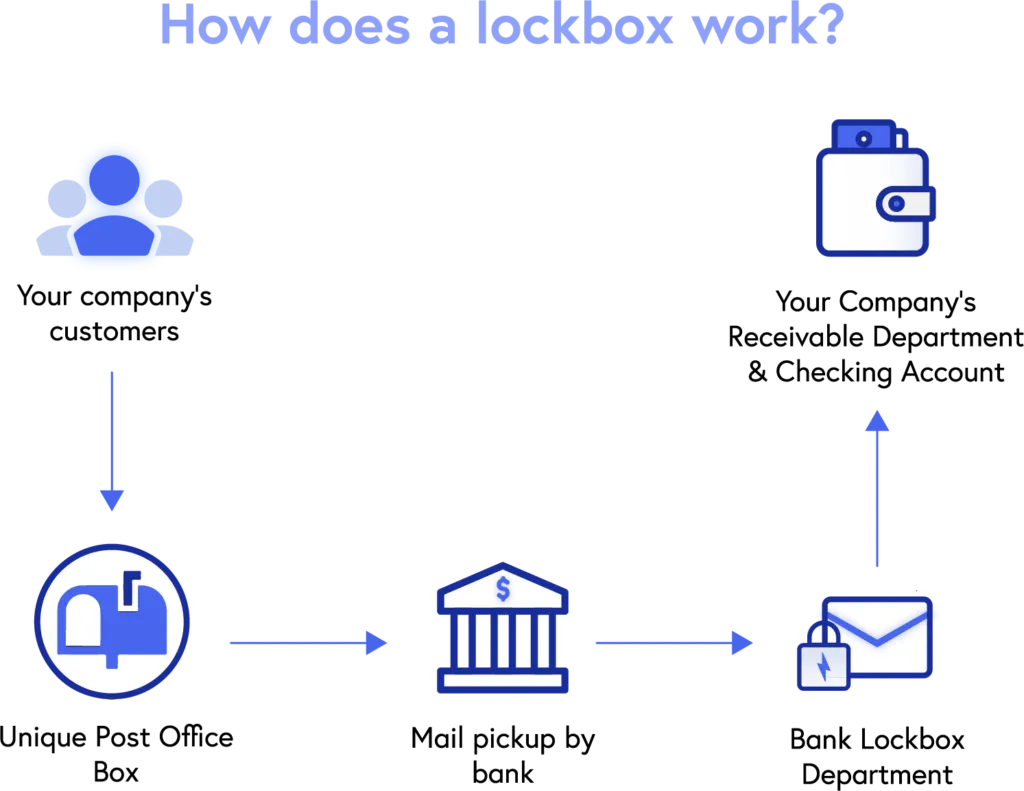
The lockbox workflow can be broken down into a series of clearly defined steps. Understanding each stage helps businesses evaluate whether the service aligns with their operational needs.
1. Customer Sends Payment to the Designated PO Box
- The bank provides the business with a unique postal address—often a PO box or a physical mailroom location.
- Invoices include this address, directing customers to mail checks, money orders, or payment vouchers directly to the lockbox.
2. Bank Receives and Sorts the Mail
- Bank staff or automated sorting machines open the mail, separate checks from other documents, and verify that each payment matches an invoice.
- Any discrepancies are flagged for the business’s attention, reducing the risk of misapplied payments.
3. Imaging and Data Capture
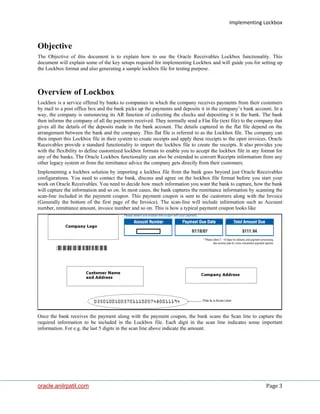
- High‑resolution scanners capture images of each check and accompanying remittance advice.
- Optical character recognition (OCR) software extracts key data—such as payer name, amount, and invoice number—into a digital format.
4. Funds are Deposited
- Checks are deposited into the company’s account, often via electronic clearing, which accelerates the availability of funds.
- Some banks offer same‑day or next‑day availability, depending on the volume and the bank’s processing windows.
5. Reporting and Integration
- The bank provides detailed reports, including scanned images of each check, transaction data, and any exceptions.
- These reports can be uploaded directly into the company’s accounting software through APIs or file transfers, minimizing manual entry.
By automating each of these steps, a lockbox reduces the “float” period—the time between when a customer sends a payment and when the company can use the cash. For businesses with tight margins, shaving even a few days off the cash conversion cycle can have a material impact on working capital.
Types of Lockbox Services
Not all lockboxes are created equal. Banks typically offer three main variations, each suited to different transaction volumes and technology readiness.
Traditional (Physical) Lockbox
This is the classic model where customers mail paper checks. The bank’s personnel handle the physical processing, imaging, and deposit. It is ideal for companies that still rely heavily on paper payments, such as utilities, government agencies, and some B2B suppliers.
Electronic Lockbox
With the rise of ACH, wire transfers, and online bill‑pay, many banks now accept electronic files directly from customers. The electronic lockbox bypasses the physical mail step, delivering even faster processing times. Companies that have transitioned most of their invoicing to digital formats often prefer this option.
Hybrid Lockbox
For businesses that receive a mix of paper and electronic payments, a hybrid solution combines both streams. The bank consolidates all data into a single reporting suite, giving the company a unified view of its receivables.
If your organization is considering a lockbox, assess the proportion of paper versus electronic payments you currently handle. The right mix can optimize cost—traditional lockboxes usually carry a per‑check fee, while electronic lockboxes may charge per file or per transaction.
Benefits Beyond Faster Cash Flow

While speed is the headline benefit, lockbox services deliver a suite of ancillary advantages that contribute to overall operational health.
Reduced Labor Costs
Outsourcing the receipt and processing of payments frees up accounting staff to focus on higher‑value tasks, such as reconciliation, analysis, and strategic planning.
Improved Accuracy
Automated OCR and validation rules dramatically lower the error rate associated with manual data entry. Fewer misapplied payments mean fewer follow‑up calls and less goodwill erosion.
Enhanced Security
Because the bank controls the lockbox, the risk of theft or fraud is minimized. The bank’s secure facilities and strict handling protocols protect sensitive financial documents.
Better Customer Experience
When invoices clearly state the lockbox address, customers enjoy a straightforward payment process. Prompt posting of payments also reduces the likelihood of disputes over outstanding balances.
Scalable Reporting
Advanced reporting tools allow finance teams to drill down into payment patterns, identify slow‑paying customers, and forecast cash inflows with greater precision. Integration with ERP systems means the data can feed directly into cash‑flow forecasts.
Key Considerations Before Implementing a Lockbox
Choosing a lockbox is not a plug‑and‑play decision. Companies should evaluate several factors to ensure the service aligns with their financial strategy.
Cost Structure
- Typical fees include a set‑up charge, per‑check processing fee, image storage fee, and optional reporting or integration fees.
- Run a cost‑benefit analysis: compare the fees against the value of faster cash availability and labor savings.
Volume Threshold
Lockbox services become cost‑effective at higher transaction volumes. Small businesses processing fewer than a few hundred checks per month might find the fees outweigh the benefits.
Integration Capabilities
Ensure the bank’s lockbox platform can seamlessly feed data into your accounting or ERP system. Many banks offer APIs, SFTP, or direct integration with popular solutions like QuickBooks, NetSuite, and SAP.
Service Level Agreements (SLAs)
Review the bank’s guaranteed processing times, image delivery windows, and exception handling procedures. A robust SLA protects you from unexpected delays.
Regulatory and Compliance Issues
Lockboxes must comply with banking regulations, such as the Uniform Commercial Code (UCC) and anti‑money‑laundering (AML) requirements. Verify that the provider maintains appropriate certifications.
Geographic Reach
If you have international customers, choose a bank that offers lockbox locations in relevant regions to avoid cross‑border mailing delays.
For entrepreneurs embarking on the journey of setting up robust financial infrastructure, understanding lockboxes can be a pivotal step. If you’re also looking to streamline other banking functions, consider reading how to open up a business bank account online – the complete entrepreneur’s playbook, which outlines the digital tools that complement lockbox services.
Real‑World Applications: Industries That Benefit Most
While any business that receives regular payments can profit from a lockbox, certain sectors see outsized advantages.
Healthcare Providers
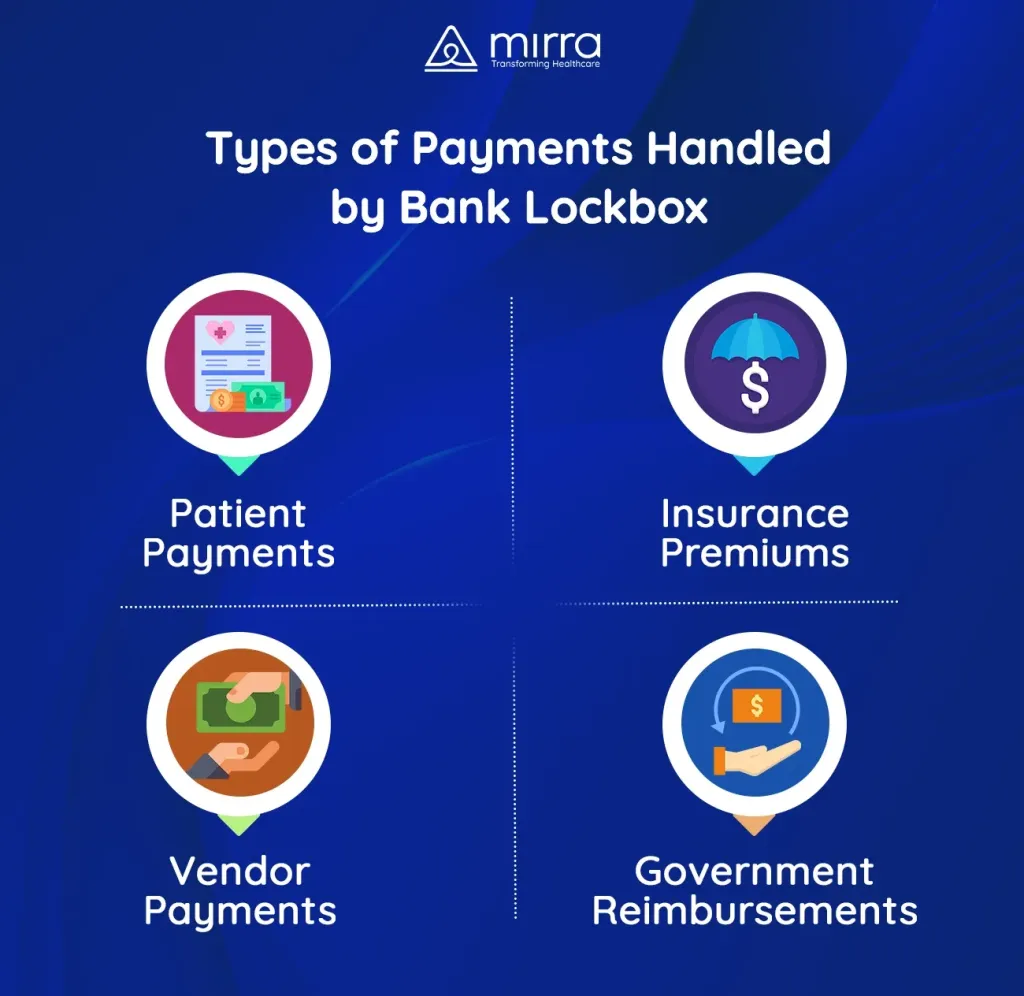
Hospitals and clinics receive a mix of insurance reimbursements, patient payments, and government subsidies. A lockbox helps consolidate these varied streams, reducing the administrative burden on billing departments.
Utilities and Telecom
Utility companies process thousands of monthly bills. Lockboxes enable them to post payments quickly, keeping service continuity and reducing delinquency rates.
Government Agencies
Federal, state, and local agencies often require secure handling of tax payments and fines. Lockboxes provide the security and auditability needed for public sector accounting.
Wholesale and Distribution
Distributors that sell to retailers across multiple states rely on timely cash flow to maintain inventory levels. Faster deposits mean they can replenish stock without tapping credit lines.
E‑Commerce and Subscription Services
Even digital‑first businesses sometimes receive paper checks for large corporate contracts. A hybrid lockbox can handle both paper and electronic payments, ensuring a seamless experience for all clients.
As you explore the lockbox landscape, you may also be interested in broader banking strategies for entrepreneurs. The guide unlock the fast‑track path to your online business bank account – the definitive guide for entrepreneurs offers insights into selecting the right banking partners that complement lockbox services.
Implementation Checklist: From Decision to Go‑Live
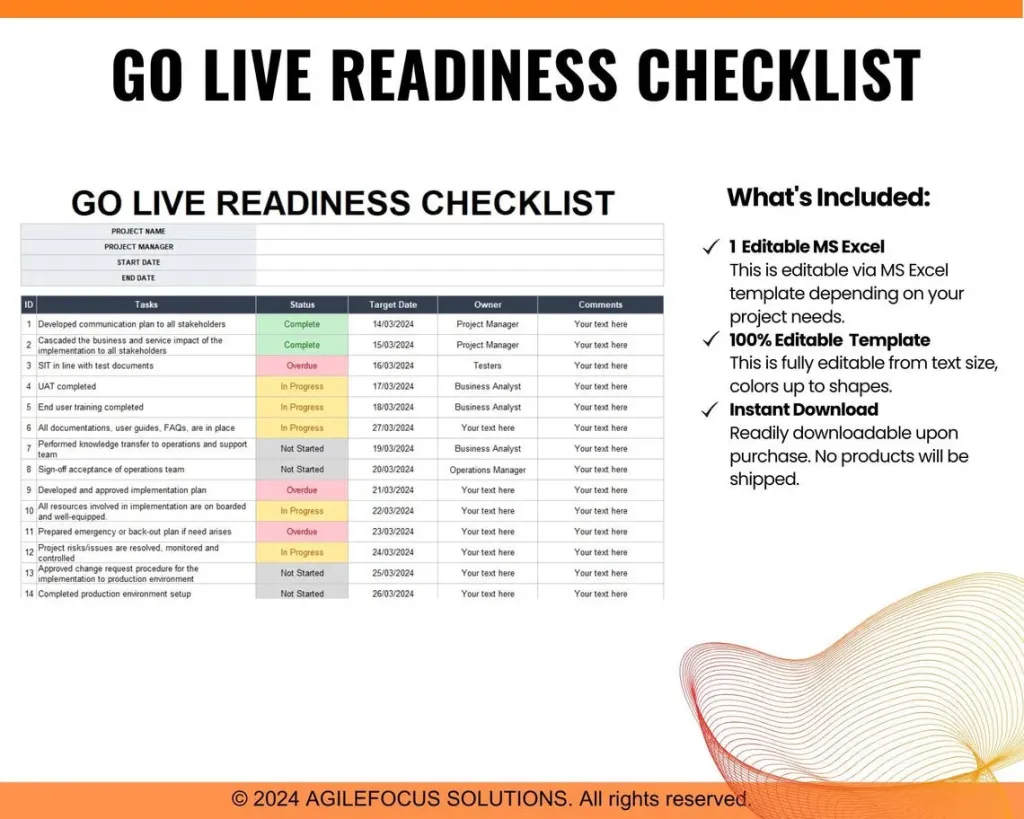
Transitioning to a lockbox involves coordination between the finance team, the bank, and sometimes IT. Below is a concise checklist to keep the project on track.
- Define Objectives: Clarify whether the primary goal is faster cash, reduced labor, or improved reporting.
- Select a Banking Partner: Compare service offerings, fees, and integration options.
- Determine Lockbox Type: Choose traditional, electronic, or hybrid based on payment mix.
- Set Up Mailing Instructions: Update invoice templates with the lockbox address and clear remittance instructions.
- Configure Data Integration: Work with the bank’s technical team to map data fields to your accounting system.
- Run a Pilot: Process a small batch of payments to validate imaging quality and data accuracy.
- Train Staff: Ensure the accounts receivable team knows how to handle exceptions and reconcile reports.
- Go Live: Switch over all inbound payments to the lockbox, monitoring SLA performance for the first 30 days.
- Review and Optimize: Analyze cost savings, cash‑flow improvements, and any operational hiccups; adjust processes as needed.
Many businesses find that the transition is smoother than expected, especially when they leverage the bank’s expertise in handling exceptions and customizing reporting. For a step‑by‑step walkthrough of setting up a business bank account—an essential foundation before adding a lockbox—check out how to set up a business bank account online – the fast‑track guide every entrepreneur needs.
Future Trends: Lockboxes in the Age of Digital Payments
While traditional lockboxes remain relevant, the industry is rapidly adapting to the digital economy. Emerging trends include:
- Real‑Time Payments (RTP): Integration with RTP networks allows lockbox services to process electronic payments instantly, further shrinking float.
- AI‑Enhanced Data Extraction: Machine learning models improve OCR accuracy, especially for handwritten or low‑quality checks.
- Blockchain Verification: Some banks are experimenting with blockchain to provide immutable proof of payment receipt, enhancing transparency for auditors.
- Self‑Service Portals: Customers can upload payment images directly through secure portals, bypassing the mail entirely.
- Embedded Finance: Lockbox data feeds into broader treasury management platforms, enabling automated cash‑allocation decisions.
These innovations suggest that lockbox services will continue to be a cornerstone of cash‑management strategies, even as the world moves toward fully electronic ecosystems.
In summary, a lockbox at a bank is more than just a mailbox—it is a sophisticated, technology‑driven service that accelerates cash flow, reduces errors, and safeguards payments. By evaluating costs, integration capabilities, and volume needs, businesses can decide whether a traditional, electronic, or hybrid lockbox best fits their operations. As financial technology advances, lockboxes will likely evolve, offering even faster, more secure, and more transparent payment processing.