Table of Contents
- Understanding the Core Architecture
- Key Components
- Why Choose a Built‑In VPN Over Traditional Solutions?
- Security Benefits
- Cost Efficiency
- Operational Simplicity
- Real‑World Use Cases
- Remote Workforce Connectivity
- Testing Geo‑Restricted APIs
- Personal Privacy on Public Wi‑Fi
- Choosing the Right Provider
- Protocol Support
- Performance Metrics
- Security Audits and Compliance
- Management Interface
- Implementation Steps: From Zero to Secure
- 1. Provision the VPS
- 2. Activate the VPN Feature
- 3. Customize Encryption Settings
- 4. Create Client Profiles
- 5. Test Connectivity
- 6. Implement Monitoring and Alerts
- 7. Schedule Regular Audits
- Potential Drawbacks and Mitigation Strategies
- Shared Resources
- Limited Customization
- Vendor Lock‑In
- Future Trends: What’s Next for Integrated VPNs?
vps with built in vpn service has become a buzzword in the cloud‑hosting arena, but the concept is far more practical than the hype suggests. Imagine a virtual server that already includes a fully functional VPN, ready to encrypt traffic the moment it boots. For startups, remote teams, and privacy‑conscious users, this combination eliminates the need to install, configure, and maintain separate VPN software, allowing them to focus on core activities while keeping data safe.
In a world where data breaches and censorship are daily headlines, the demand for reliable, easy‑to‑manage secure connections is soaring. Traditional VPN setups often require a dedicated machine, complex routing rules, and regular updates to stay protected. A VPS that ships with an integrated VPN service streamlines all those steps into a single, cloud‑native solution. This article walks through the technical foundations, real‑world benefits, and practical considerations of adopting such a platform.
Throughout the narrative, we’ll explore how businesses can leverage built‑in VPNs for site‑to‑site connections, how developers can test geographically‑restricted APIs, and how individuals can safeguard personal browsing without juggling multiple subscriptions. By the end, you’ll have a clear picture of why this hybrid offering is gaining traction and how to evaluate providers that promise it.
Understanding the Core Architecture
The backbone of a VPS with a built‑in VPN service lies in virtualized networking. A typical virtual private server runs on a hypervisor that isolates resources—CPU, RAM, storage—while sharing the underlying physical hardware. When the provider adds a VPN layer, they essentially allocate a virtual network interface that routes all inbound and outbound traffic through an encrypted tunnel before it reaches the public internet.
Key Components
- Virtual Network Interface (VNI): Acts as the entry point for all traffic, applying encryption protocols such as OpenVPN, WireGuard, or IPSec.
- Encryption Engine: Handles the cryptographic operations, often using AES‑256‑GCM for high security and performance.
- Authentication Server: Manages user credentials, certificates, or pre‑shared keys, ensuring only authorized clients can connect.
- Routing Table Integration: Automatically adjusts routing rules so that traffic destined for private subnets stays within the VPN, while public traffic exits through the encrypted tunnel.
This tightly integrated stack reduces latency compared to a separate VPN appliance, because the data never leaves the virtual environment until it is encrypted. It also simplifies management: updates to the VPN software are applied by the provider, and users only need to configure client credentials.
Why Choose a Built‑In VPN Over Traditional Solutions?
When evaluating networking options, three factors dominate the decision‑making process: security, cost, and operational overhead. A VPS with a built‑in VPN service scores highly on each.
Security Benefits
- Unified Attack Surface: Fewer moving parts mean fewer vulnerabilities. The provider can patch the VPN engine alongside the hypervisor, ensuring consistent security posture.
- Zero‑Trust Connectivity: By default, all traffic is encrypted, supporting a zero‑trust model without additional configuration.
- Isolation from Host: The VPN runs in a separate namespace, preventing cross‑tenant leaks even if one VPS is compromised.
Cost Efficiency
- Bundled Pricing: Providers often include the VPN feature in the base VPS price, avoiding extra subscription fees for third‑party VPN services.
- Reduced Bandwidth Overheads: Since the VPN terminates within the same data center, there is less need for external bandwidth purchases.
- Scalability: Adding more clients only requires generating additional credentials; there’s no need to spin up separate VPN servers.
Operational Simplicity
- One‑Click Deployment: Many control panels let you enable the VPN with a single toggle, removing the need for manual installation scripts.
- Centralized Management: User access, logs, and key rotation are handled through the provider’s dashboard, reducing administrative burden.
- Automatic Updates: Security patches are applied by the hosting team, ensuring the VPN stays up‑to‑date without user intervention.
Real‑World Use Cases
To illustrate the practicality of this offering, consider three distinct scenarios that benefit from a VPS with built‑in VPN.
Remote Workforce Connectivity
Companies with distributed teams often face the challenge of providing secure access to internal resources. By deploying a single VPS in a central location and enabling its built‑in VPN, each employee can connect to the same encrypted network, gaining access to file shares, intranet services, and development environments without exposing those assets to the public internet.
Testing Geo‑Restricted APIs
Developers frequently need to verify that their applications behave correctly when accessed from different regions. A VPS located in a specific country, combined with an integrated VPN, allows them to route traffic through that region’s IP range instantly. This eliminates the need for separate proxy services and reduces testing latency.
Personal Privacy on Public Wi‑Fi
Travelers and students often rely on coffee‑shop Wi‑Fi, which is a hotbed for eavesdropping. By subscribing to a VPS with a built‑in VPN, they can install a lightweight client on their laptop or phone, connect to the VPN, and instantly encrypt all traffic, safeguarding credentials and browsing habits.
For a step‑by‑step walkthrough on setting up your own secure VPN on a VPS, see the guide How to Build Your Own Secure VPN on a VPS – A Complete Guide. The article offers practical commands and configuration tips that complement the built‑in features discussed here.
Choosing the Right Provider
Not all VPS hosts offer the same level of VPN integration. When comparing options, focus on the following criteria.
Protocol Support
WireGuard has become the de‑facto standard for modern VPNs due to its simplicity and speed. Verify that the provider supports WireGuard alongside more established protocols like OpenVPN, giving you flexibility based on client compatibility.
Performance Metrics
Latency and throughput are critical, especially for video conferencing or large file transfers. Look for providers that publish benchmark results for their VPN‑enabled VPS plans, or request a trial period to measure performance yourself.
Security Audits and Compliance
Providers serving regulated industries should undergo regular third‑party security audits (e.g., SOC 2, ISO 27001). This ensures that the VPN implementation meets stringent security standards.
Management Interface
A user‑friendly dashboard that lets you add or revoke client keys, view connection logs, and adjust routing rules can dramatically reduce operational overhead. Some platforms even offer API access for automation.
Exploring alternative services can also be insightful. For instance, the article awdwad discusses complementary networking tools that can enhance the capabilities of a VPN‑enabled VPS.
Implementation Steps: From Zero to Secure
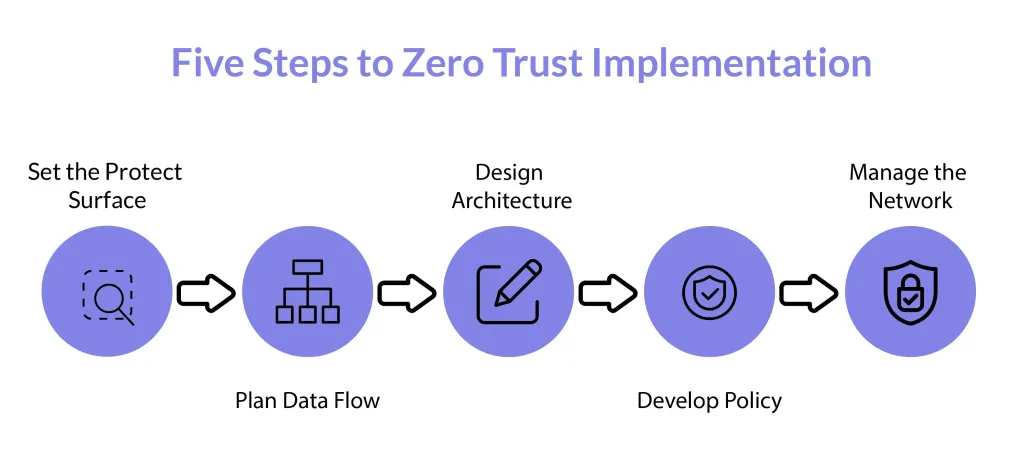
Even though the VPN comes pre‑installed, there are still best practices to follow to maximize security and reliability.
1. Provision the VPS
Select a plan that matches your CPU, memory, and bandwidth needs. If you anticipate many concurrent VPN clients, allocate additional CPU cores to handle encryption workloads.
2. Activate the VPN Feature
Through the provider’s control panel, locate the “VPN” toggle and enable it. The system will generate a default server configuration and a set of client credentials.
3. Customize Encryption Settings
Adjust the cipher suite if the default does not meet your policy (e.g., switch from AES‑128 to AES‑256). Also, set a strong Diffie‑Hellman group or use the modern Curve25519 for key exchange.
4. Create Client Profiles
Generate a unique key pair for each device. Export the configuration files in the appropriate format (e.g., .conf for OpenVPN, .wg0 for WireGuard) and distribute them securely.
5. Test Connectivity
Connect a client device and verify that your public IP address changes to the VPS’s IP. Use tools like traceroute and ping to ensure traffic is routing through the VPN tunnel.
6. Implement Monitoring and Alerts
Enable logging on the VPS and configure alerts for unusual connection spikes or failed authentication attempts. This proactive approach helps detect potential abuse early.
7. Schedule Regular Audits
Even with a managed VPN, periodic security reviews are essential. Rotate client keys every 90 days, review access logs, and apply any provider‑issued patches promptly.
Potential Drawbacks and Mitigation Strategies
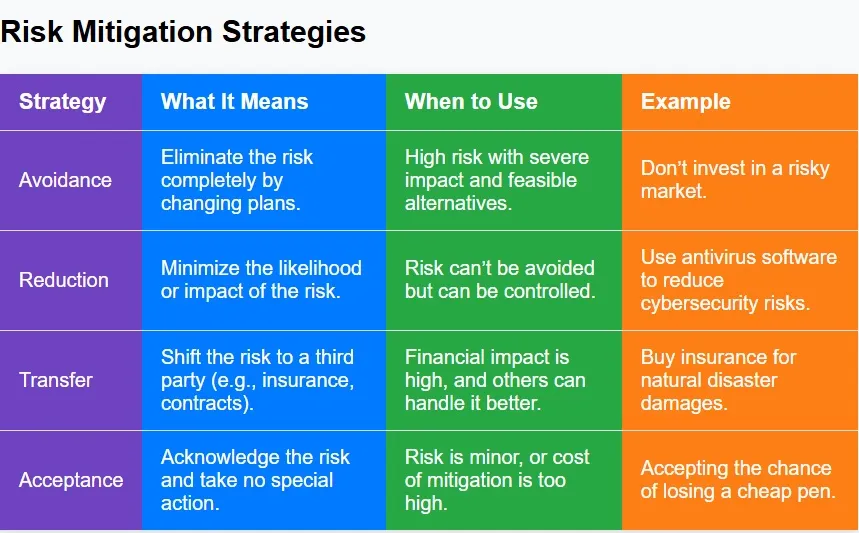
No technology is without trade‑offs. Understanding possible limitations helps you plan accordingly.
Shared Resources
Because the VPS runs alongside other customers, heavy VPN traffic could compete for CPU cycles. Mitigate this by selecting a plan with dedicated CPU cores or by monitoring resource usage and scaling up when needed.
Limited Customization
Some providers lock down certain VPN parameters to maintain stability. If you require advanced routing rules or custom authentication modules, verify that the provider offers a “root access” option or consider a self‑managed VPN on a standard VPS.
Vendor Lock‑In
Relying on a proprietary VPN implementation may make migration difficult. To reduce lock‑in risk, choose a provider that uses standard, open‑source VPN software, enabling you to export configurations and replicate the setup elsewhere if necessary.
Future Trends: What’s Next for Integrated VPNs?
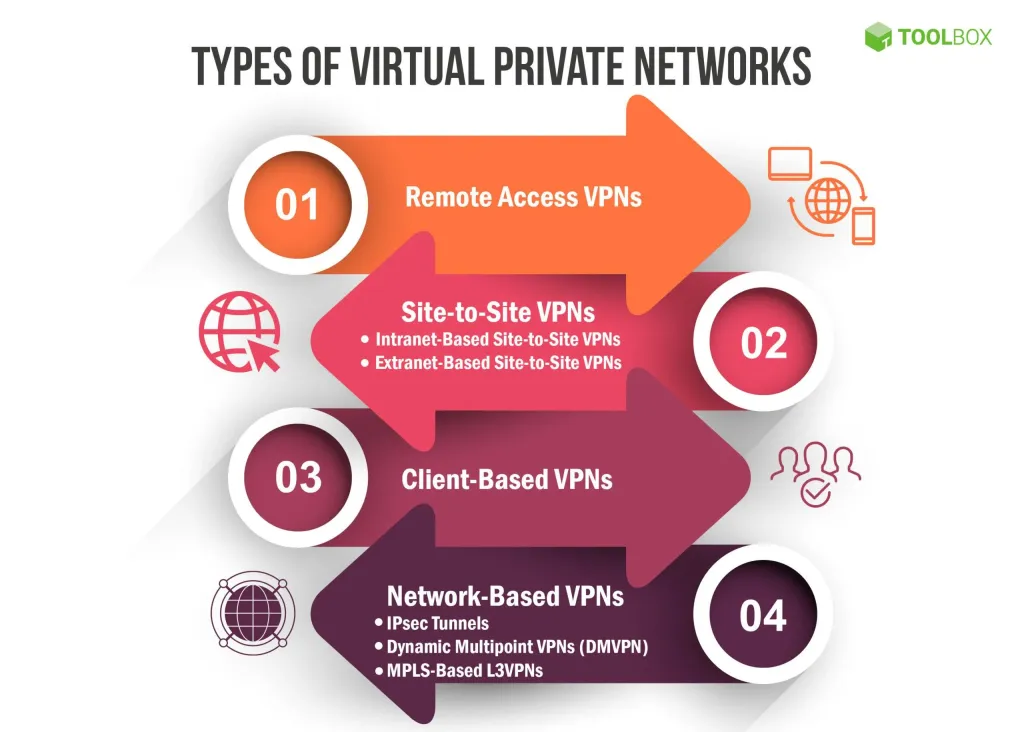
The convergence of cloud infrastructure and secure networking is accelerating. Emerging trends include:
- Zero‑Trust Network Access (ZTNA): Integrated VPNs will evolve to enforce granular, identity‑based policies, moving beyond simple IP tunneling.
- Edge Computing Integration: As edge nodes become more prevalent, VPN services will extend to the edge, reducing latency for IoT devices.
- AI‑Driven Threat Detection: Providers may embed machine‑learning models that analyze VPN traffic patterns in real time, flagging anomalies before they become incidents.
Staying aware of these developments ensures that organizations can adopt next‑generation security models without overhauling their existing infrastructure.
In summary, a VPS with a built‑in VPN service offers a compelling blend of security, cost savings, and operational ease. By selecting a reputable provider, following best‑practice deployment steps, and continuously monitoring performance, businesses and individuals can enjoy robust, encrypted connectivity without the complexity of managing separate VPN appliances. As the cloud ecosystem evolves, this integrated approach is poised to become a foundational component of modern network architecture.